Quick answer: This GoDaddy review comes down to convenience versus long-term cost. GoDaddy is a reasonable one-stop shop for a small law firm that wants a domain, Microsoft 365 email and a simple website under one login and one phone number. It is usually not the cheapest place to keep a domain or to renew services in year two, so check renewal prices before you buy and compare registrars in our best domain registrars for law firms guide.
Note on prices: GoDaddy’s own pricing pages blocked our automated access when we wrote this, so we do not quote domain, email or hosting prices as facts. Where a number matters, we tell you to read it on GoDaddy’s pricing pages and look for the renewal price.
Key takeaways
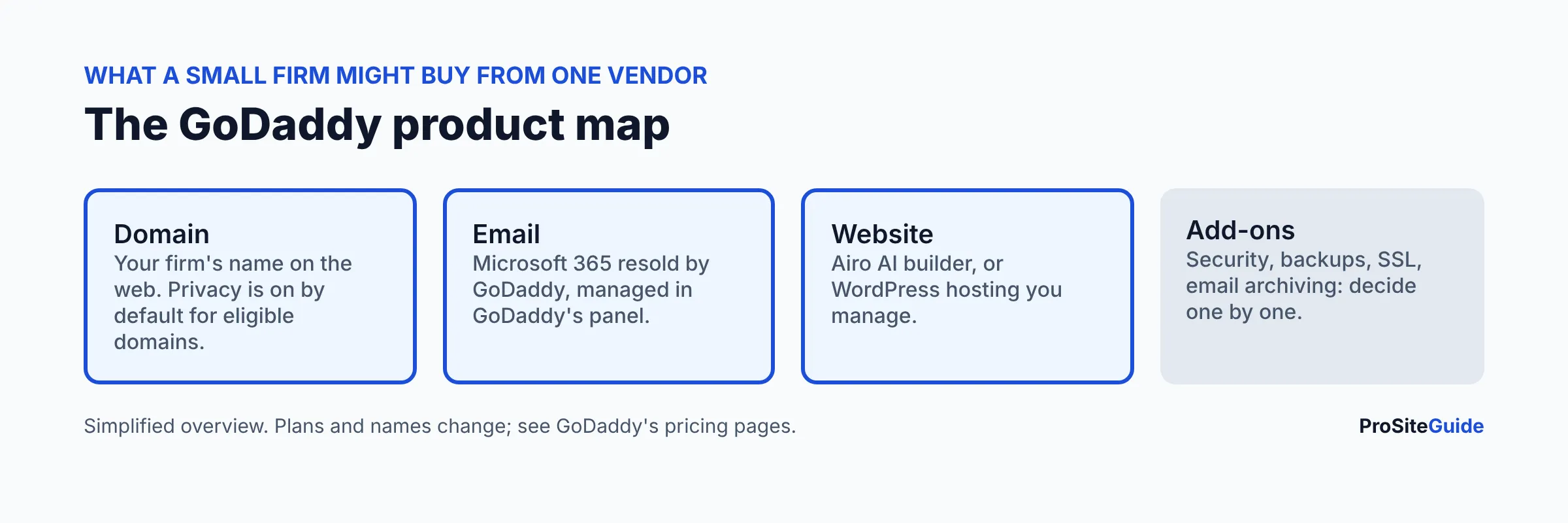
- GoDaddy sells domains, Microsoft 365 email, a website builder (Airo AI builder) and WordPress hosting, so one account can cover a whole small-firm setup.
- Promotional first-year prices and renewal prices are different numbers. Always compare the renewal line.
- GoDaddy says domain privacy is on by default at no extra cost for eligible domains, so you should not need to buy it as a separate add-on for those.
- Microsoft 365 bought through GoDaddy is managed in GoDaddy’s panel. Buying direct from Microsoft gives you the full Microsoft admin center.
- For a custom WordPress site, a dedicated host is often a better fit than a bundled plan.
How we compared GoDaddy
This review is based on GoDaddy and Microsoft documentation and help pages as of November 2026. We have not run hands-on tests, and we give no scores or ratings. GoDaddy’s main product and pricing pages were not accessible to our tools, so plan prices are left for you to confirm on GoDaddy’s site.
Is GoDaddy good for a small law firm?
It can be, if your priority is simplicity. One company handles the domain, the DNS records, the email and a basic site, and phone and chat support is attached to the same account. The tradeoffs are renewal pricing, add-on upsells at checkout and less control over bundled products. A firm that only needs a domain and email can do well here. A firm planning a custom WordPress site, or one that wants the lowest long-term cost, should shop around.
| Product | What it is | Best for | Watch for |
|---|---|---|---|
| Domain registration | .com, .law, .attorney and other extensions | Firms that want the domain next to everything else | Renewal price versus first-year promo; auto-renew |
| Domain privacy | Hides registrant contact details in public WHOIS | Every firm | Not all extensions are eligible |
| Microsoft 365 email | Business email on your domain, resold by GoDaddy | Firms wanting email and billing in one place | Admin limits; moving later moves the whole tenant |
| Website builder (Airo) | AI-assisted site builder with hosting | Simple brochure site fast | Lock-in; limited customization versus WordPress |
| WordPress hosting | Managed or shared hosting for WordPress | Firms already on GoDaddy who want a WordPress site | Compare against dedicated hosts |
| Security and backup add-ons | Extras sold at checkout and in the dashboard | Firms without other protection | Overlap with what you already have |
How much does a domain cost at GoDaddy?
GoDaddy advertises low first-year prices on many domains, and the renewal price is what you pay from year two onward. We could not open GoDaddy’s live price list, so we do not publish .com, .law or .attorney prices here. On GoDaddy’s domain search, look at the cart line that shows the renewal price, and confirm the term. Premium extensions such as .law and .attorney usually cost more than .com; our guide to .law vs .com vs .attorney explains which to pick.
Lowest long-term cost is where GoDaddy is most often beaten. If that is your main goal, compare registrars on renewal price in our registrar comparison. If you decide to register at GoDaddy, our step-by-step guide to registering a law firm domain at GoDaddy walks through the cart and settings.
Does GoDaddy include domain privacy?
For eligible domains, yes. GoDaddy’s help page What is Domain Privacy? says privacy replaces your contact details in the public WHOIS directory with substitute details from its partner Domains By Proxy, and that it is on by default at no extra cost. ICANN requires registrars to collect your contact data, so GoDaddy keeps the real details on file. There are three levels: On (all hidden), Limited (shows organization, state and country) and Off (everything public). Many extensions, including .us, .ca, .de, .fr and .eu, are not eligible, and GoDaddy points to a separate Domain Protection product for those. Check your extension before assuming you are covered.
Should I buy Microsoft 365 email from GoDaddy or from Microsoft?
Buying direct from Microsoft is usually better if you expect to grow or want full control. Buying through GoDaddy is fine if you value a single bill and the simplest setup. When you buy through GoDaddy, it acts as a reseller and provides its own admin panel. A Microsoft Q&A answer describes users being sent back to the GoDaddy dashboard instead of the full Microsoft 365 admin center. That is a community reply, not official documentation, but it matches how resold tenants are described.
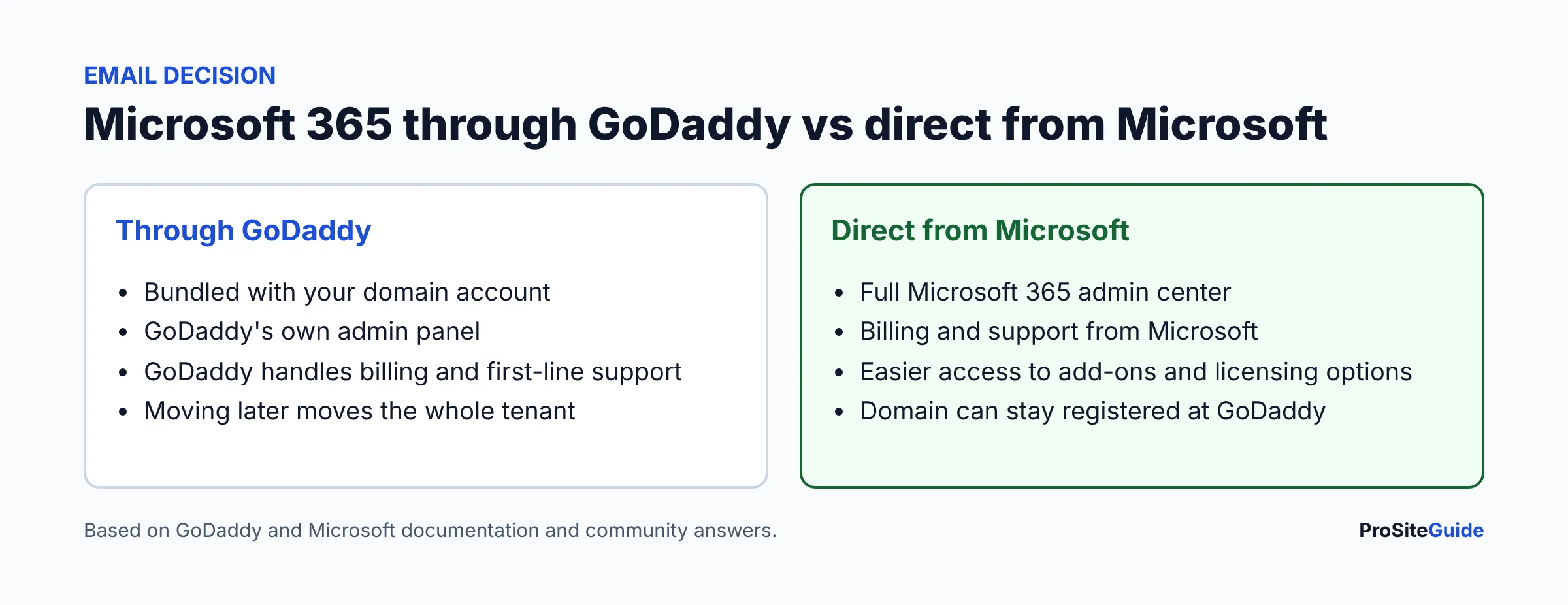
Moving later is possible but not trivial. GoDaddy’s help page Move my Microsoft 365 email away from GoDaddy says the move transfers your whole tenant, that GoDaddy plans do not transfer so you buy new licenses from Microsoft or another reseller, that GoDaddy-sold add-ons such as Barracuda archiving, Proofpoint and ConnectWise backups are deleted in the move, and that once complete the organization cannot move back. It also warns not to buy new mailboxes elsewhere until the move finishes, or you will create a second tenant that cannot be merged.
Because law firms care about confidentiality, think about who administers your tenant, how multi-factor sign-in is enforced and whether you need archiving or encryption. Our Microsoft 365 setup guide for law firms covers the settings, law firm business email covers SPF, DKIM and DMARC, and Google Workspace vs Microsoft 365 helps you pick the platform first. Your domain can stay registered at GoDaddy while email lives at Microsoft, as long as the DNS records point correctly.
Is GoDaddy’s Website Builder (Airo) good enough for a law firm?
For a simple brochure site, possibly. GoDaddy’s Airo AI builder generates a site from a description of your business, and GoDaddy markets it with hosting and a custom domain included. Plan names, AI credit limits and prices have changed often, and the figures we found came from third-party summaries, so see GoDaddy’s pricing page for current plans and whether the free domain applies after the first year.
Questions to ask before you commit: Can you export your content if you leave? Can you add the practice area pages, attorney bios, accessibility features and secure intake forms your firm needs? Does the plan show clear renewal pricing? Builders are fast to launch, but they limit customization and SEO control compared with WordPress. Our Squarespace vs WordPress vs Wix guide compares the trade-offs, and how much a law firm website costs puts the options in context.
What about GoDaddy WordPress hosting?
GoDaddy sells managed and shared WordPress hosting. We could not verify current plan prices, backups or security features from its pages, so confirm them directly on GoDaddy’s hosting page and read the renewal terms. If your firm already uses GoDaddy for the domain and email, a bundled WordPress plan is convenient. If speed, staging and security matter most, compare dedicated WordPress hosts first: see our Hostinger review, SiteGround review and Kinsta review. You can host elsewhere and keep the domain at GoDaddy, and our guide to moving a site to a new host explains how.
What upsells should you watch for?
Add-ons are normal in any registrar cart, and GoDaddy is no exception. Treat each one as a separate buying decision.
- Extra security or malware scanning that overlaps with a plugin or host protection you already have. See the website security checklist.
- Paid SSL certificates when your host already provides one.
- Extra backups or email archiving. Some firms genuinely need archiving; buy it deliberately.
- Longer terms and auto-renew that lock in a price you have not compared.
- Domain add-ons such as extra extensions or privacy for an extension that is already covered.
How good is GoDaddy support?
GoDaddy advertises phone and chat support, and that is a real attraction for lawyers who do not want to troubleshoot DNS. We have not tested the quality or hours, so we make no claim about them. Check the support options attached to the exact plan you buy. Also note that for Microsoft 365 bought through GoDaddy, GoDaddy is your first contact, and some issues may need escalation to Microsoft.
Who should choose GoDaddy, and who should look elsewhere?
| Choose GoDaddy if… | Look elsewhere if… |
|---|---|
| You want domain, email and a simple site in one account | Lowest renewal price is your top priority (compare registrars) |
| You value phone and chat support over customization | You want a custom WordPress site with speed and security tuning |
| You will review the cart and renewal terms each year | You want full Microsoft 365 admin control from day one |
How do I set up GoDaddy safely?
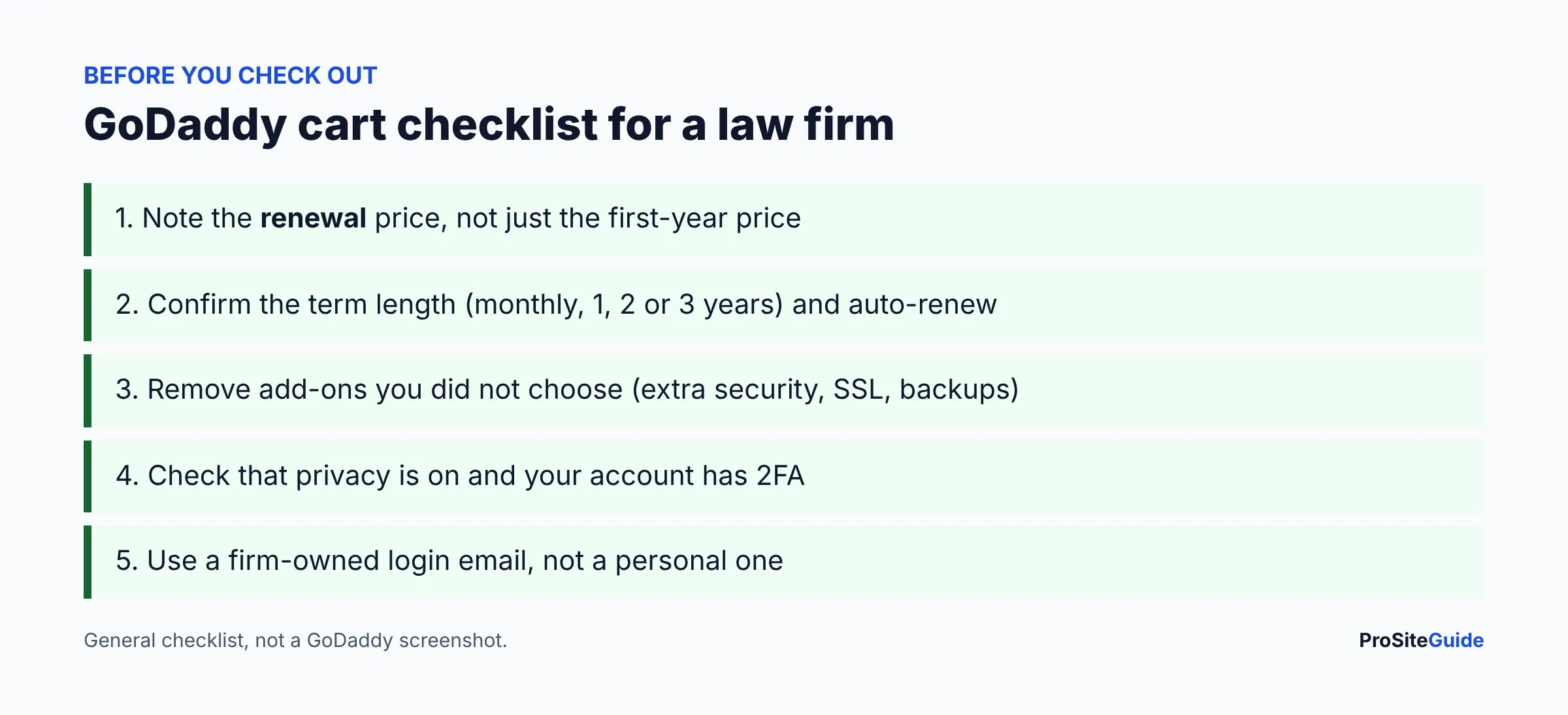
- Create the account with a firm-owned email and turn on two-factor authentication.
- Register or transfer the domain and confirm privacy is On if your extension is eligible.
- Write down the renewal price and date. Decide on auto-renew deliberately.
- Choose Microsoft 365 through GoDaddy or direct from Microsoft before you create mailboxes.
- Set up SPF, DKIM and DMARC. See our email guide.
- Remove add-ons you did not choose.
Browse more side-by-side guides on our Tool Comparisons page, or start from Start Here.
FAQ
Is GoDaddy good for law firms?
It suits firms that want one vendor for domain, email and a basic site. It is less suited to firms that want the lowest renewal prices or a heavily customized WordPress site.
Does GoDaddy charge for domain privacy?
GoDaddy says privacy is on by default at no extra cost for eligible domains. Some extensions are not eligible, so check yours.
Is GoDaddy Microsoft 365 the same as Microsoft 365 from Microsoft?
It is Microsoft 365 resold by GoDaddy and managed in GoDaddy’s panel. Buying direct gives full Microsoft admin control and Microsoft billing and support.
Can I move email from GoDaddy to Microsoft later?
Yes, but GoDaddy says the whole tenant moves, licenses do not transfer, some add-ons are deleted and you cannot move back.
Can I keep my domain at GoDaddy and host elsewhere?
Yes. Change the DNS records or nameservers to point at the new host or email provider.
What are GoDaddy’s prices?
They change often and differ between first term and renewal. See GoDaddy’s pricing pages and read the renewal line.
Conclusion and next steps
- Decide whether you value one-stop convenience or lowest long-term cost.
- If cost wins, read the registrar comparison first.
- Choose email ownership (GoDaddy vs direct) before creating mailboxes.
- Plan your website on a platform you can grow with.
Want this handled for you? ProSiteGuide builds and maintains fast, secure WordPress sites for law firms. Book a free consultation.