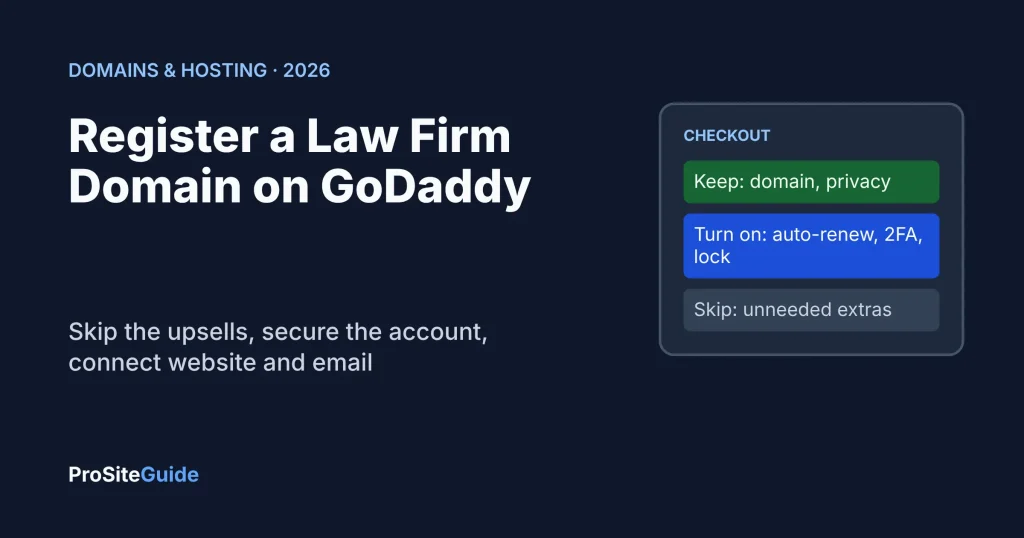
Quick answer: To register a domain on GoDaddy, search for your firm name, pick a term, create an account in the firm’s own name and email, decline the checkout extras you do not need, and then turn on auto-renew, 2-step verification and the transfer lock. Email protection, hosting and website builders are optional add-ons that most law firms can skip at checkout. The whole purchase takes about ten minutes; the DNS setup that follows is where mistakes happen.
Key takeaways
- Register the domain in an account owned by the firm, with a firm-controlled email address, not a web designer’s or an assistant’s personal login.
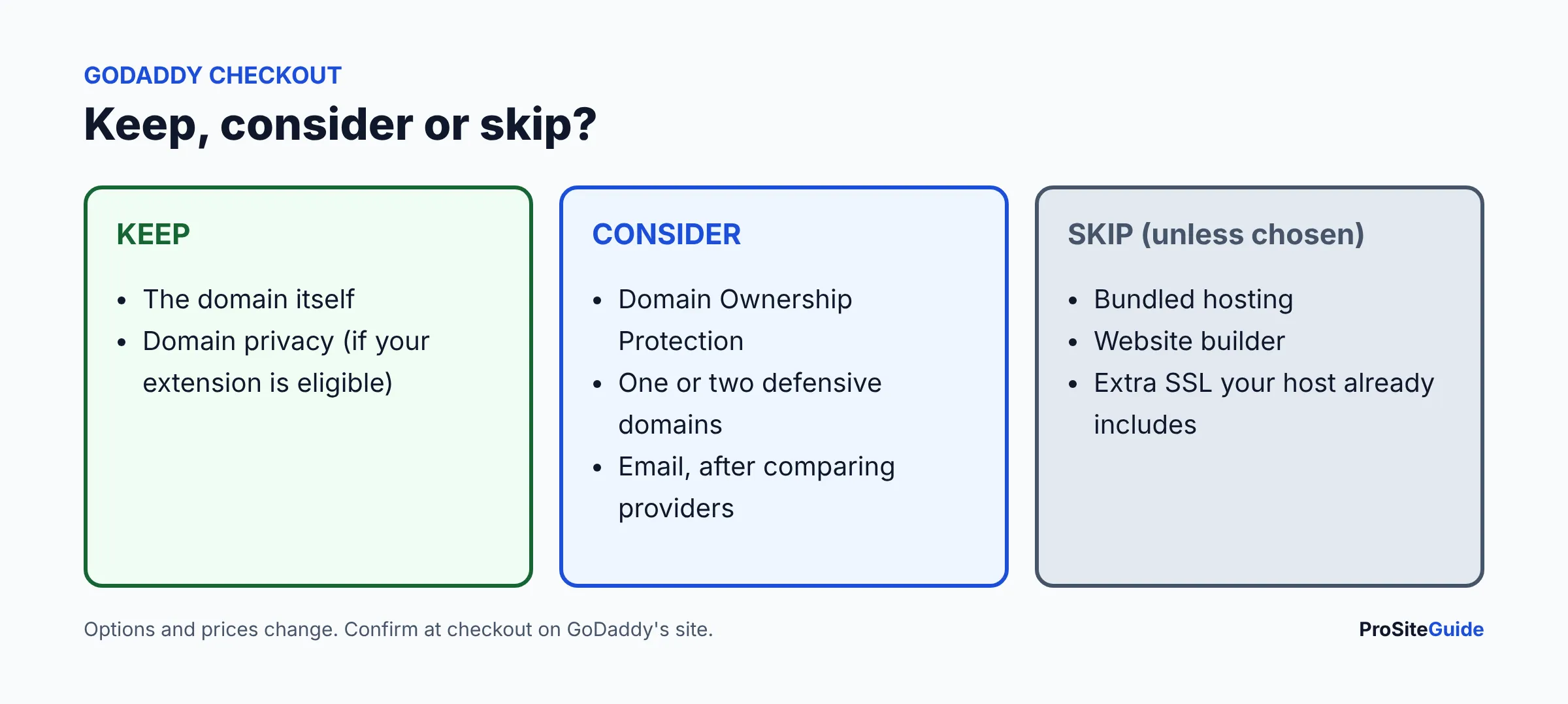
- At checkout, take the domain and (if offered for your extension) domain privacy. Skip bundled hosting, website builders and email unless you have decided to use them.
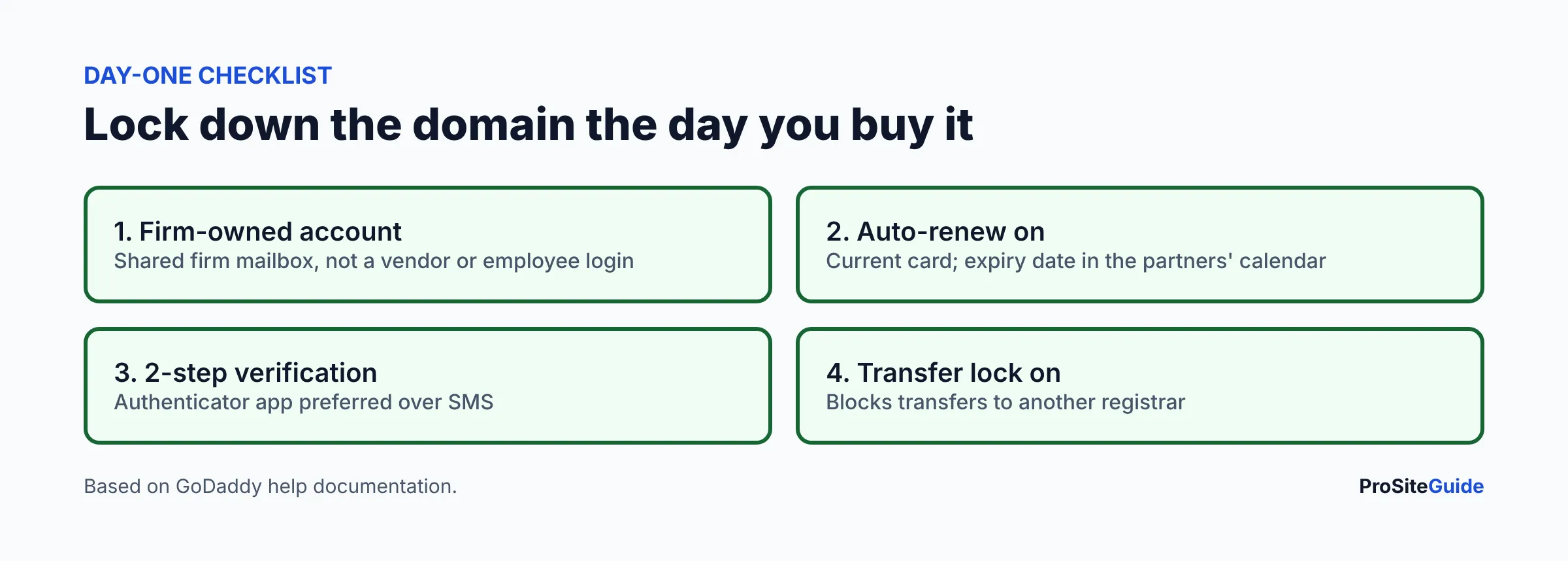
- Turn on auto-renew, 2-step verification and the transfer lock on day one. An expired domain takes your website and email down together.
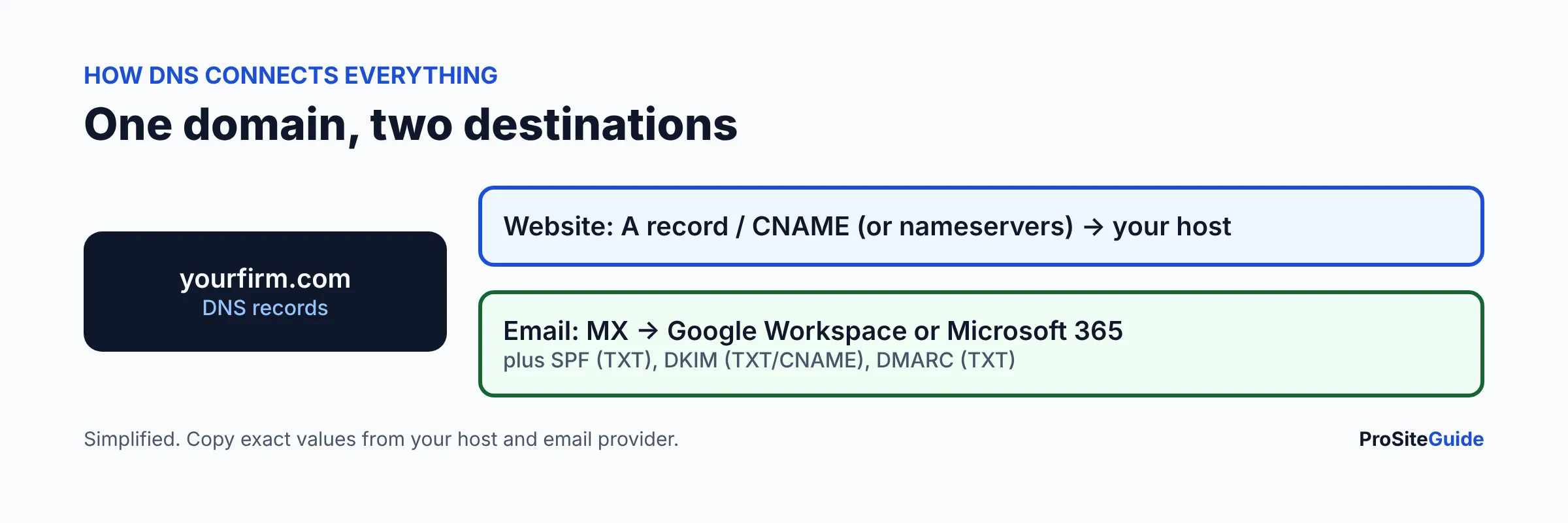
- DNS is what connects the domain to your website (A or CNAME or nameservers) and your email (MX, SPF, DKIM, DMARC). Copy the exact values from your host and email provider.
This guide covers the GoDaddy purchase and settings. For a wider look at alternatives see our best domain registrars for law firms, and for a verdict on the company itself read our GoDaddy review for law firms. GoDaddy changes its screens often, so the steps below describe what to look for rather than exact button positions.
Step 1: What domain name should a law firm register?
Choose the name before you open GoDaddy. Short, easy to say aloud and easy to spell wins: the firm name, or lawyer surnames, with no hyphens or numbers. Say it over the phone to a colleague; if they have to ask how it is spelled, rethink it. Check that the matching name is not a trademark or firm name belonging to someone else, and check your state bar’s rules on firm names and advertising, which vary by state.
Then decide on the extension. For most small firms .com remains the safe default because people type it automatically, while .law and .attorney can add clarity. We compare them in .law vs .com vs .attorney for law firms. If you can afford it, owning both your .com and one alternative and redirecting the second to the first is common.
Step 2: How do you search for and buy a domain on GoDaddy?
GoDaddy’s domain search page shows whether a name is available and suggests alternatives. Pricing varies by extension and changes often, and GoDaddy’s pages blocked our automated checks, so we are not quoting a price here: see GoDaddy’s site for the current first-year and renewal price of your exact extension. Always compare the renewal price, not only the introductory first-year price.
- Type the name you want into the search box and check the exact result for your extension.
- If it is taken, try the lawyer-surname version or add the practice area or city (for example a surname plus “law” or “legal”). Avoid hyphens.
- Add the domain to your cart and review the term and any pre-selected extras.
- Create or sign in to a GoDaddy account in the firm’s name (see Step 4 first).
- Pay with a firm card and keep the receipt for your records.
Step 3: How long should you register a domain for?
GoDaddy’s help pages describe renewal terms from 1 to 10 years for the domains they cover, though the maximum depends on the extension. A longer term protects you against a missed renewal and avoids yearly price creep, but it ties up cash and does not replace auto-renew. A sensible middle path for most firms: register for one to three years, keep auto-renew on, and keep a card on file that does not expire soon. Registering a longer term is not a ranking factor you should count on, so choose on convenience and risk.
Step 4: Who should own the GoDaddy account?
The firm should own the account and the domain. This is the single most important decision in the whole process. Plenty of firms discover years later that the domain sits in a former web designer’s account, an ex-employee’s personal email, or a vendor’s reseller login. Getting it back can be slow and stressful, and in the meantime you cannot change DNS or move the site.
- Create the account with a firm-controlled mailbox such as an office manager or partner address that more than one person can reach, ideally on a different domain than the one being registered (otherwise a lapse locks you out of the recovery email).
- Put the managing partner or firm as the registrant contact with accurate details.
- Do not share one password. If a web developer or IT person needs access, use GoDaddy’s delegate access, which lets another person use products in your account without your password; the owner must accept the invitation.
- Store the login and recovery codes in a shared password manager the partners control. Our siblings on this topic: 1Password review and how to set up 1Password for a law firm.
Step 5: Which checkout add-ons are worth buying?
GoDaddy’s cart often pre-selects or promotes extras. Here is how to think about them. Features and prices change, so confirm each on GoDaddy’s checkout page.
| Checkout item | What it does | Our take for a small firm |
|---|---|---|
| Domain privacy (WHOIS privacy) | Replaces your contact details in the public WHOIS directory with proxy details from GoDaddy’s partner Domains By Proxy (GoDaddy Privacy FAQ). | Keep it. GoDaddy says it is added automatically to eligible domains and some extensions are not eligible; see GoDaddy’s site for price and eligibility. Public WHOIS data invites spam and scams. |
| Domain Ownership Protection (paid) | Requires 2-step verification for high-risk actions such as transfers, DNS changes and contact updates; paid tiers add an activity log and, on the top plan, a 90-day renewal grace period (GoDaddy security guide). | Optional. Worth considering for a firm whose domain carries all client email and intake. Not necessary if you already use 2-step verification, the lock and auto-renew. Check the current price. |
| Professional email / Microsoft 365 through GoDaddy | Mailboxes on your domain. | Decide deliberately. Buying email from the registrar is fine, but compare against Google Workspace vs Microsoft 365 first; buying it direct from the provider keeps billing and admin with the firm. |
| Website hosting or website builder | Hosting for the site. | Skip at checkout unless you have chosen it. Hosting is a separate decision: see best hosting for law firm websites. |
| SSL certificate | Encrypts the connection (HTTPS). | Usually skip. Most hosts include free SSL, and GoDaddy says SSL is included on eligible GoDaddy hosting plans. Check with your host. |
| Extra domains (typos, other extensions) | Prevents look-alike registrations. | Optional. One or two defensive names can be worth it; do not buy ten. |
GoDaddy also lists some protections as free: the transfer lock (GoDaddy says almost all domains come with it enabled by default), two-factor authentication on your account, and a DMARC record with a quarantine policy added automatically, per its domain security guide. Verify these on your own account rather than assuming.
Step 6: How do you turn on auto-renew, 2-step verification and the domain lock?
Do these three things the same day you buy.
- Auto-renew. In your domain settings, make sure renewal is set to automatic and the payment method is current. GoDaddy says it attempts to auto-renew on the expiration date, and that if the first billing attempt fails the domain is parked; redemption fees can apply about 12 days after expiry (GoDaddy help). Also put the expiry date in the partners’ calendar.
- 2-step verification. Add a verification method first, then open your account’s security page and switch 2-Step Verification on (GoDaddy help). GoDaddy’s guide says codes can come by phone, email or an authenticator app; an authenticator app is the stronger choice over SMS.
- Domain lock. Open the domain’s settings, find the Transfer section and confirm the lock is on (GoDaddy help). It prevents transfers to another registrar; you unlock it when you deliberately move the domain later. GoDaddy notes changes can take up to 90 minutes to show.
Step 7: How do you point a GoDaddy domain to your website host?
The domain and the website are separate things. The domain is the address; your host stores the site. You connect them with DNS (the internet’s address book). There are two common ways, and your host’s instructions will say which one to use:
- Change the nameservers to your host’s (or to a service such as Cloudflare). DNS is then managed at that provider, not GoDaddy.
- Keep GoDaddy’s nameservers and add or edit records (usually an A record for the root domain and a CNAME for “www”) with values your host gives you.
To change nameservers, GoDaddy’s steps are: open the domain’s settings, choose DNS, then Nameservers, pick GoDaddy or custom nameservers, and save; you may be asked to verify your identity. GoDaddy says changes usually take effect within an hour but can take up to 48 hours, and warns that changing nameservers can interrupt website or email (GoDaddy help). Because DNS then lives at the new provider, copy your existing MX and TXT records first or your email may stop.
If you are replacing an existing site, follow our guide to moving a law firm website without downtime. Building on Hostinger? See how to build a law firm website on Hostinger. Using Cloudflare for DNS and protection is covered in Cloudflare for law firm websites.
Step 8: How do you add email records (MX, SPF, DKIM, DMARC)?
Email will not work on your domain until it has records telling the world where mail goes. Define the terms once: MX records say which servers receive your mail; SPF lists the servers allowed to send as you; DKIM adds a cryptographic signature to outgoing mail; DMARC tells receivers what to do when SPF/DKIM fail and where to send reports. Together they reduce spoofing and keep legitimate mail out of spam. Our law firm email setup guide explains why they matter for client confidentiality.
How to add an MX record in GoDaddy
GoDaddy’s steps: open the domain, go to DNS, choose Add New Record, select MX, then fill Name (@ for the root domain), Priority (lower numbers are tried first), Value (the mail server) and TTL. Domains with Domain Protection require extra identity verification before saving, and most changes take effect within an hour but can take up to 48 hours (GoDaddy help). This only works while the domain uses GoDaddy nameservers.
Google Workspace
Google’s current instructions use a single MX value, smtp.google.com, with priority 1, and tell you to delete other MX records on the domain; accounts created before 2023 may keep the older ASPMX values. Google says it can take up to 72 hours, and then you activate Gmail in the Admin console (Google: set up MX records). Full walkthrough: Google Workspace setup for law firms.
Microsoft 365
Microsoft’s admin center shows the exact MX value for your tenant to copy, with priority typically 0 and TTL 3600. It also gives an SPF TXT record (v=spf1 include:spf.protection.outlook.com -all), an autodiscover CNAME, and two DKIM CNAME records (selector1 and selector2). If an SPF record already exists, merge into it: a domain should have one SPF record only (Microsoft Learn). See Microsoft 365 setup for law firms.
DMARC
Add DMARC after SPF and DKIM are working. A cautious start is a monitoring policy (p=none) with a reporting address, then tighten to quarantine or reject once reports show your legitimate mail passing. GoDaddy says it adds a quarantine DMARC record automatically on some domains, so look at what is already there before creating a second one; a domain should have a single DMARC record.
GoDaddy domain setup mistakes to avoid
- Registering under a vendor’s or employee’s account.
- Leaving auto-renew off, or a card that expires next month.
- Changing nameservers without first copying MX and TXT records.
- Leaving old MX records in place after switching email providers.
- Creating two SPF records instead of merging into one.
- Skipping 2-step verification on the account that controls your email.
FAQ
Can I register a domain on GoDaddy without buying hosting or email?
Yes. A domain is sold separately. You can buy only the domain, then connect it to any host and any email provider through DNS.
Do I need domain privacy?
It is a good idea for a firm because it hides personal contact details from the public WHOIS directory. GoDaddy says Domain Privacy is added automatically to eligible domains, but not all extensions qualify. Check your cart.
What happens if my domain expires?
Your website and email stop working. GoDaddy says it attempts auto-renewal on the expiration date, and redemption fees may apply about 12 days after expiry, so renew early rather than late.
How long does it take for a new domain to work?
Registration is quick. DNS changes usually take effect within an hour but GoDaddy says they can take up to 48 hours, and Google says MX changes can take up to 72 hours.
Can I move my domain later?
Yes. Renew it, unlock it, and start the transfer at the new registrar. GoDaddy notes domains registered or transferred in the last 60 days cannot be transferred.
Should the domain registrar also host my website?
Not necessarily. Keeping the domain at a registrar and the site at a specialist host makes either one easier to change. Compare options in our registrar guide.
Conclusion and next steps
- Pick the name and extension, then buy it in a firm-owned account.
- Decline extras you have not chosen; keep privacy.
- Turn on auto-renew, 2-step verification and the lock.
- Connect the website, then email, with MX, SPF, DKIM and DMARC.
- Review our Start Here page for the next decision, or the website security checklist.
Want this handled for you? ProSiteGuide builds and maintains fast, secure WordPress sites for law firms. Book a free consultation.