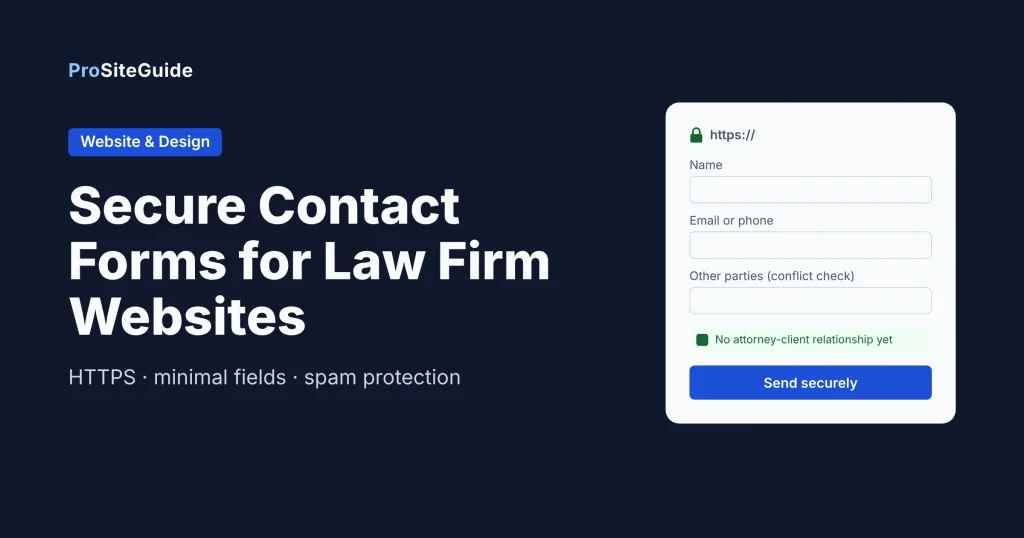
Quick answer: A secure contact form for a law firm website runs over HTTPS. It asks for the minimum (name, contact details, opposing party, a short summary). It doesn’t keep submissions on the web server longer than it has to, and it sends a notification instead of the whole message in plain-text email. Add spam protection, a short disclaimer, and a consent checkbox, then send leads into your intake CRM. On WordPress, a mainstream form plugin can do all of this once you turn on the right settings.
This guide explains why the form on your site carries real risk, what “secure” actually means in practice, and how to set it up step by step in WordPress. It also covers when an encrypted form service makes more sense, and how to test it before you go live.
Why is a contact form a risk for a law firm?
To a small business, a contact form is just a lead source. For a law firm it’s also the first place a stranger tells you something confidential. People type in things like “my employer is about to fire me,” “I was arrested last night,” or “I want to divorce my husband, who works at X.” That information can create obligations before you’ve agreed to anything.
Prospective-client duties (ABA Model Rule 1.18)
ABA Model Rule 1.18 covers duties to prospective clients: people who consult a lawyer about possibly hiring them. In general terms, the rule protects information learned in that consultation even if no representation follows. In some cases it can also prevent the lawyer from representing someone on the other side of the same matter.
Websites come up in the comments to the rule. As the Washington State Bar’s discussion of RPC 1.18 explains, a consultation is more likely when a lawyer invites information through a website “without clear and reasonably understandable warnings and cautionary statements that limit the lawyer’s obligations.” A site that only describes the lawyer’s experience and contact details is treated differently. The practical takeaway is that how you word and build your form affects your risk. States adopt their own versions of the rule, so check your state bar’s rule and ethics opinions.
The data itself
Separately from the ethics rules, submissions have to live somewhere. Many WordPress form plugins save every entry in the site database, where anyone with an admin login can read it, and it stays there indefinitely by default. If the site is ever compromised, through an outdated plugin or a reused password, those stored enquiries are exposed. Plain-text email notifications put copies in more inboxes, phones and backups.
What does “secure” mean for a contact form?
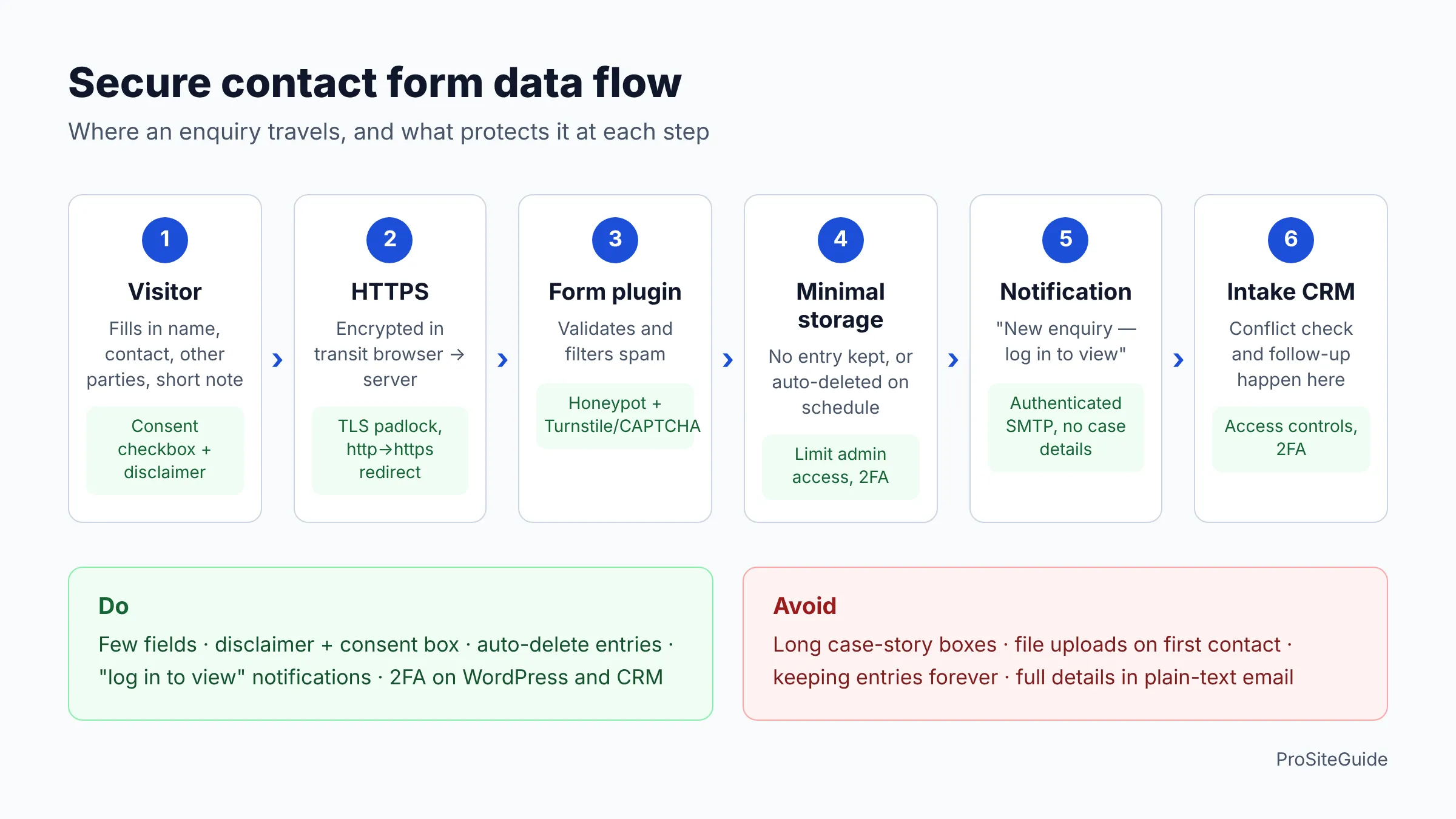
No single plugin makes a form “secure.” Security comes from a handful of decisions about where the data goes and how long it stays there:
- HTTPS everywhere. The page and the form submission must use TLS (the padlock). This protects data on its way from the visitor’s browser to your server, but not after it arrives. Any decent host includes free SSL; see our guide to hosting for law firm websites.
- Minimal storage on the website. Either don’t store entries in WordPress at all, or delete them automatically after a short period once they’ve reached your CRM or inbox.
- No sensitive details in plain-text email. Send a notification that says “New enquiry from Jane Doe: log in to view.” Don’t paste the whole story into the email. Ordinary email is not end-to-end encrypted.
- Authenticated email sending. By default, WordPress sends mail through PHP’s mail function, and the WP Mail SMTP plugin page notes that without proper authentication those messages often land in spam or disappear. Send through an authenticated SMTP or API provider (your Google Workspace or Microsoft 365 account, or a transactional mail service). Pair it with correct SPF, DKIM and DMARC records, covered in our law firm email setup guide.
- Spam and bot protection. A honeypot (a hidden field only bots fill in), a CAPTCHA, or Cloudflare Turnstile. Turnstile is designed to avoid visual puzzles and can be added to any site without routing traffic through Cloudflare. Its free plan allows up to 20 widgets per account.
- Locked-down admin access. Strong unique passwords, two-factor authentication, and the fewest possible people with access to form entries. The rest of the hardening work is in our WordPress security checklist for law firms.
Which fields should a law firm intake form ask for?
Ask for less than you think. The first contact form should get enough to run a conflict check and call the person back, not the whole case. Detailed facts can wait until after the conflict check, ideally by phone or through a secure intake process.
- Name (required)
- Email and/or phone, plus preferred contact method
- Practice area, as a dropdown (e.g. family, estate planning, personal injury)
- Other parties involved, such as the opposing party, employer or spouse. This is the key field for a conflict check.
- A short, optional summary with a character limit and a visible note such as “Please don’t include confidential details yet.”
- How did you hear about us? (optional, for marketing)
Leave out file uploads, Social Security numbers, dates of birth, medical details and free-text boxes that invite long stories. Each extra field is more sensitive data to protect, and a longer form usually gets fewer submissions anyway.
Disclaimer, consent checkbox and privacy notice
Put a short, plain-English disclaimer directly above the submit button, not buried in the footer. A typical version says that submitting the form does not create an attorney-client relationship, that the firm can’t represent the person until a conflict check is done and an engagement is agreed, and that they shouldn’t send confidential information yet. Require a checkbox confirming they’ve read it. Link to a privacy notice that explains what you collect, where it goes (for example, your CRM), and how long you keep it.
Exact wording, and whether your state expects specific language, is something to confirm with your state bar’s guidance or an ethics counsel. Don’t copy another firm’s disclaimer word for word.
Comparing form options for a law firm website
The three WordPress plugins below are widely used and can each be configured for a law firm. The fourth is a hosted encrypted-form service. Prices are from the vendors’ pricing pages as of November 2026 and often change, so check before buying.
| Option | Free version | Paid from (as of Nov 2026) | Spam protection (per vendor) | Controlling stored entries | Good fit for |
|---|---|---|---|---|---|
| WPForms | Yes (Lite) | Basic $49.50 first year, renews at $99/yr | Built-in anti-spam; hCaptcha, reCAPTCHA, Turnstile | Per-form setting to stop storing entries in WordPress; Lite sends submissions by email | Firms wanting the simplest builder |
| Gravity Forms | No | Basic $59/yr (1 site) | Advanced honeypot; Turnstile, reCAPTCHA and Akismet add-ons on all plans | Retention policy: auto-trash or auto-delete entries after a set number of days; option to skip storing IP addresses | Developers building custom intake flows |
| Fluent Forms | Yes | Pro single site $63/yr (list $79) | reCAPTCHA, hCaptcha, Turnstile in the free version | Auto-delete entries and maximum entry limits (Pro) | Budget-conscious firms that want lifetime licensing |
| Hushmail for Law | No | From $10.79/month | Hosted by the vendor | Submissions delivered as encrypted messages, not stored in WordPress | Firms that need encrypted intake and e-signatures |
None of the three plugins’ pricing pages advertise encryption of stored entries. If that’s a requirement for you, plan to minimize storage instead, or use an encrypted service.
How to add a secure contact form in WordPress (step by step)
These steps work with any of the plugins above. Menu names differ slightly between plugins and versions.
- Confirm HTTPS. Load your contact page as
https://and check the padlock. Make surehttp://redirects tohttps://. If it doesn’t, fix SSL with your host before going any further. - Set up authenticated email first. Install an SMTP plugin (such as WP Mail SMTP) and connect it to your firm’s email provider or a transactional mail service. Send a test email and confirm it arrives in the inbox, not spam.
- Install your form plugin. Choose from the table above. Keep the number of plugins small: every extra add-on is more code to update.
- Build the form with minimal fields. Use the field list above. Make the summary field optional, cap its length, and add the “no confidential details yet” helper text.
- Add the disclaimer and a required consent checkbox above the submit button, with a link to your privacy notice.
- Turn on spam protection. Enable the plugin’s built-in anti-spam or honeypot. Then add Turnstile, hCaptcha or reCAPTCHA through the plugin’s CAPTCHA settings. You’ll need site and secret keys from the provider.
- Decide on entry storage. In WPForms, the form builder’s Settings » General » Advanced section has an option to disable storing entry information in WordPress, per WPForms’ own guide. In Gravity Forms, use the form’s Personal Data settings to auto-delete entries after a set number of days and stop saving IP addresses. In Fluent Forms Pro, use auto-delete. If your CRM integration needs a stored entry to work, choose a short retention period instead of “forever.”
- Write a minimal notification email. Edit the admin notification so it includes the name, contact method and practice area, but not the summary. Send it to a shared intake address rather than to every lawyer.
- Send a short confirmation to the visitor. Thank them, say when you’ll respond, and repeat that no attorney-client relationship exists yet. Don’t echo their message back to them by email.
- Connect your intake CRM (next section), then restrict access: only the people who handle intake should be able to view entries in WordPress.
- Embed the form on your contact page and practice-area pages, then run the testing checklist below.
When should you use an encrypted form service instead?
A well-configured plugin is enough for a general “contact us” form that collects little detail. Some practices really do need clients to send sensitive information early, though: immigration, family, criminal defense, or anything involving medical records. For those, a hosted encrypted-form service keeps the data off your web server and out of plain-text email altogether.
Hushmail for Law is one example built for firms. It combines encrypted email with encrypted web forms, and on some plans, e-signatures. Its legal page lists plans “for as little as $10.79 per month” as of November 2026. Its plans page shows secure web forms on the Law Essentials and Law Growth tiers but not Law Basic. Confirm current form limits and pricing with the vendor. Usually you’d link to or embed the hosted form from your site, so the design matches your site less closely than a native plugin form would.
Another option is to use your practice-management or intake software’s own forms (see below). The data then goes straight into a system built for client information.
Sending leads to an intake CRM (Clio Grow, Lawmatics)
The safest place for an enquiry is your intake CRM, with two-factor authentication and proper access controls, not your WordPress database. There are three common patterns:
- Vendor plugin. Clio publishes a Clio Grow Form plugin for WordPress that sends contact form submissions to the Clio Grow Inbox. It’s intended only for Clio Grow customers. Check its “tested up to” version and recent updates before relying on it.
- Hosted intake form. Intake CRMs such as Clio Grow and Lawmatics provide their own intake forms. Ask your vendor whether a form can be shared by link or embedded on your site, so submissions go straight to the CRM and never touch WordPress.
- Plugin integration. Some form plugins connect to CRMs directly, or through tools like Zapier, but often only on higher tiers. For example, WPForms lists its named CRM integrations (Salesforce, HubSpot and others) on the Elite plan. Check that your CRM is supported before you buy.
Choosing between the two leading intake CRMs? Our Lawmatics vs Clio Grow comparison covers features and pricing in detail.
Testing checklist before you go live
- The form page loads only over HTTPS, and
http://redirects. - A test submission arrives at the intake address within a minute and isn’t in spam.
- The notification email contains no case summary or other sensitive detail.
- The visitor confirmation arrives and repeats the no-relationship statement.
- The consent checkbox is required; the form won’t submit without it.
- The entry appears in your CRM with every field mapped correctly.
- Entry storage in WordPress matches your decision: none, or auto-deleted on schedule. Check that the test entry is actually gone.
- Spam protection works: the CAPTCHA or Turnstile widget loads, and the form still submits on mobile.
- Validation errors are clear and labelled, and the form can be completed with a keyboard alone.
- Only intake staff can view entries in WordPress, and everyone with access uses two-factor authentication.
- Delete all test entries from WordPress and the CRM afterwards.
Re-test after plugin updates, theme changes or a host migration. Form email is often the first thing to break quietly. Regular checks like this belong in your website maintenance routine.
FAQ
Is a contact form with SSL/HTTPS secure enough for a law firm?
HTTPS is necessary but not sufficient. It protects the data in transit only. You also need to control where submissions are stored, keep sensitive details out of plain-text email, and lock down who can see entries.
Does a contact form submission create an attorney-client relationship?
Generally a form submission alone doesn’t create a full attorney-client relationship. It can still create prospective-client duties under Rule 1.18 or your state’s version, especially if your site invites confidential information without clear warnings. Use a visible disclaimer and check your state bar’s guidance.
What is an encrypted contact form?
It’s a form whose submissions are encrypted after they reach the server, as well as in transit. Typically they’re delivered as encrypted messages that only authorized users can open. Standard WordPress form plugins protect data in transit via HTTPS, but they don’t advertise encryption of stored entries on their pricing pages.
Should I use CAPTCHA or a honeypot?
Use both if you can. A honeypot is invisible and catches simple bots. A CAPTCHA-style check such as Cloudflare Turnstile stops more sophisticated ones while rarely asking real visitors to solve puzzles.
Can I use a free form plugin?
Yes. The free versions of WPForms and Fluent Forms include spam protection and email notifications. Paid tiers add features such as entry management, auto-deletion and CRM integrations. Choose based on the storage and integration settings you need, not the number of templates.
Conclusion and next steps
A secure law firm contact form is mostly a set of sensible defaults. Use HTTPS, ask for a few fields, add a clear disclaimer with a consent checkbox, keep storage minimal, send short notifications through authenticated email, use spam protection, and send leads to a proper intake system. Start by finding out where your current form stores submissions and what its notification emails contain. Then work through the steps and the testing checklist above. If your practice needs sensitive details at first contact, look at an encrypted form service or your CRM’s hosted intake forms.
Want this handled for you? ProSiteGuide builds and maintains fast, secure WordPress sites for law firms. Book a free consultation.
Sources
- Washington State Bar News: RPC 1.18, Duties to Prospective Clients
- WPForms pricing
- WPForms: How to save contact form data in the WordPress database
- WPForms Lite on WordPress.org
- Gravity Forms pricing
- Gravity Forms docs: Personal Data settings
- Gravity Forms docs: Form settings
- Fluent Forms pricing
- Fluent Forms on WordPress.org
- Hushmail for Law
- Hushmail plans
- Cloudflare Turnstile documentation
- Cloudflare Turnstile plans
- WP Mail SMTP on WordPress.org
- Clio Grow Form on WordPress.org