This guide contains affiliate links. If you buy through them, we may earn a commission at no extra cost to you. It never changes our recommendations. Learn more.
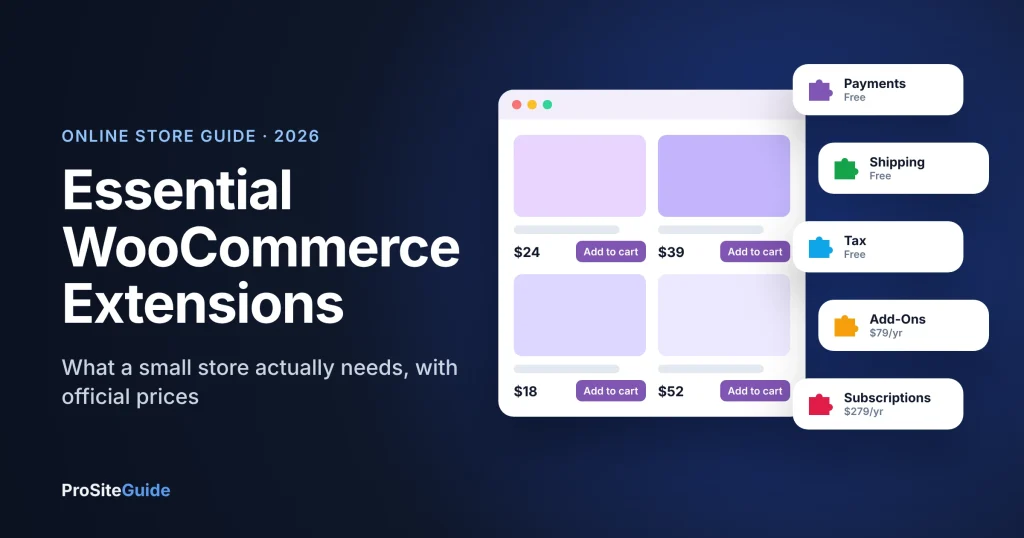
Quick answer: a small WooCommerce store usually needs only three free extensions to start: a payment gateway (WooPayments or Stripe), a shipping tool and automated tax. Add paid extensions only for a specific job: Product Add-Ons for custom options, Subscriptions for recurring billing, Bookings for appointments, and AutomateWoo for marketing emails. Every paid extension on the official WooCommerce Marketplace comes with a 30-day refund window.
Key takeaways
- WooCommerce itself is free and takes no revenue share. You pay for hosting, payment processing and any paid extensions.
- Marketplace extensions are annual subscriptions that include updates and support. Budget for renewals.
- Payments, shipping labels and tax calculation are free extensions; you pay per transaction or per label.
- Buy a paid extension when a customer need is clear, not “just in case”. Each one adds cost and upkeep.
How do WooCommerce extensions work?
WooCommerce is a free plugin that turns a WordPress site into an online store. Extensions are add-on plugins that give it new abilities. The official WooCommerce Marketplace sells them as yearly subscriptions: the pricing page puts most paid extensions between $29 and $299 a year each. Each paid product page says the subscription includes updates, customer support and a 30-day money-back guarantee, and you can choose a 1-year or 2-year plan (the 2-year option showed a 20% saving when we checked).
You do not need everything at launch. The rule we use with clients: install the free essentials, launch, then add a paid extension when real customers ask for something.
The free essentials every store needs
1. A payment gateway: WooPayments or Stripe
WooPayments is WooCommerce’s own payments extension. It is free to install with no setup or monthly fees, and charges per transaction. For US cards, its fees page listed 2.9% + $0.30 per transaction when we checked, with a $15 dispute fee; rates vary by country and card type. The free Stripe extension is the main alternative and supports Apple Pay, Google Pay and buy-now-pay-later options. Pick one, not both, unless you have a reason.
2. WooCommerce Shipping
Free. It lets US-based stores buy and print USPS, UPS, DHL Express and FedEx labels from the WordPress dashboard at discounted rates. You pay only for labels. If you ship from outside the US, use your carrier’s own extension instead.
3. WooCommerce Tax
Free. It calculates sales tax automatically by location for supported countries, including the US, Canada, Australia, the UK and many EU countries. It does not file or pay your tax returns, so keep your accountant in the loop.
Paid extensions worth buying (when you need them)
| Extension | What it does | 1-year price |
|---|---|---|
| Product Add-Ons | Extra options on product pages: gift wrap, engraving text, file uploads, paid or free | $79 |
| WooCommerce Subscriptions | Weekly, monthly or yearly recurring billing for products or services | $279 |
| WooCommerce Bookings | Appointments, classes, rentals and reservations by time slot, with staff or resources | $249 |
| WooCommerce Memberships | Members-only products and content, member discounts, drip content | $199 |
| AutomateWoo | Abandoned-cart emails, follow-ups, review requests, win-back coupons | $159 |
Prices are the 1-year plan shown on each product page in November 2026.
Product Add-Ons ($79/year)
The most useful first purchase for many shops. If you sell anything personalised (printed names, engraving, custom sizes, gift messages), Product Add-Ons lets customers choose options on the product page and adds the cost to the price.
WooCommerce Subscriptions ($279/year)
For subscription boxes, memberships billed monthly, retainers or replenishment products. It automates renewals through supported payment gateways. It is one of the more expensive extensions, so only buy it if recurring billing is part of your business model.
WooCommerce Bookings ($249/year)
For service businesses that take paid appointments, classes or rentals. Before buying, check whether a simpler scheduling tool would do; our appointment scheduling guide compares standalone options. Bookings’ marketplace reviews are mixed, so test it within the 30-day refund window.
AutomateWoo ($159/year)
Marketing automation inside WooCommerce: abandoned-cart reminders, follow-up emails after purchase, review requests and personalised coupons. For a store with steady traffic, recovering a few abandoned carts a month can cover the cost. SMS needs a separate paid Twilio account.
WooCommerce Memberships ($199/year)
Restricts products or content to members and gives members discounts. Pair it with Subscriptions if you want members to pay monthly. If you sell courses rather than memberships, look at Sensei LMS instead.
Recommended setups by store type
| Store type | Start with | Add later |
|---|---|---|
| Simple product shop | WooPayments or Stripe, Shipping, Tax | AutomateWoo |
| Personalised or made-to-order | The free three + Product Add-Ons | AutomateWoo |
| Subscription box or replenishment | The free three + Subscriptions | AutomateWoo |
| Service business taking bookings | WooPayments or Stripe + Bookings | AutomateWoo |
| Paid community or members area | WooPayments or Stripe + Memberships | Subscriptions |
Tips to avoid extension bloat
- Buy from the official marketplace or a well-reviewed developer, and check the “last updated” date and compatibility.
- Test new extensions on a staging site before your live store.
- Keep a list of what each extension does and its renewal date. Cancel what you no longer use.
- Fast hosting matters more for a store than for a brochure site; see our Pressable review and speed guide.
- Protect checkout and customer data: follow our WordPress security checklist.
FAQ
Is WooCommerce free?
Yes. The WooCommerce plugin is free and open source with no monthly fee or revenue share. You pay for hosting, payment processing and any paid extensions or themes.
Do WooCommerce extensions stop working if I do not renew?
The marketplace subscription covers updates and support for the plan period. Without renewing you lose access to updates and support, which matters for security and compatibility. Check each product’s terms.
Can I get a refund on a WooCommerce extension?
The WooCommerce Marketplace refund policy offers a full refund within 30 days of purchase for extensions and themes.
WooPayments or Stripe: which should I use?
Both are free to install and charge per transaction. WooPayments shows payments inside your WooCommerce dashboard; Stripe is a good choice if you already use a Stripe account. Compare current fees for your country.
How many extensions is too many?
There is no fixed number, but every extension adds cost, updates and potential conflicts. Install only what a real customer need justifies.
Conclusion
Launch with the free payment, shipping and tax extensions, then add paid extensions one at a time as your customers need them: Product Add-Ons for personalisation, Subscriptions for recurring billing, Bookings for appointments and AutomateWoo for email marketing. Prices and features were checked on the vendors’ official pages in November 2026. They change, so confirm on the vendor’s site before you buy.
3 comments