Quick answer: The best WordPress themes for law firms in 2026 are fast, well-maintained general themes, not “lawyer themes” from template marketplaces. For most small firms, Kadence or Blocksy (both tagged accessibility-ready on WordPress.org) are the strongest starting points, GeneratePress suits developers who want the leanest base, Astra has the most ready-made lawyer templates, and Twenty Twenty-Five is the free, no-add-on choice. If your firm already uses Elementor, pair it with the Hello Elementor theme.
Key takeaways
- A theme controls your site’s layout, typography and header/footer. A good one is lightweight, updated often and works with the WordPress block editor.
- Every theme below has a free version on WordPress.org with hundreds of thousands to over a million active installations, and all were updated within the last year (as of November 8, 2026).
- The “accessibility-ready” tag is a useful minimum, not a guarantee of ADA or WCAG compliance. Your content and plugins matter as much as the theme.
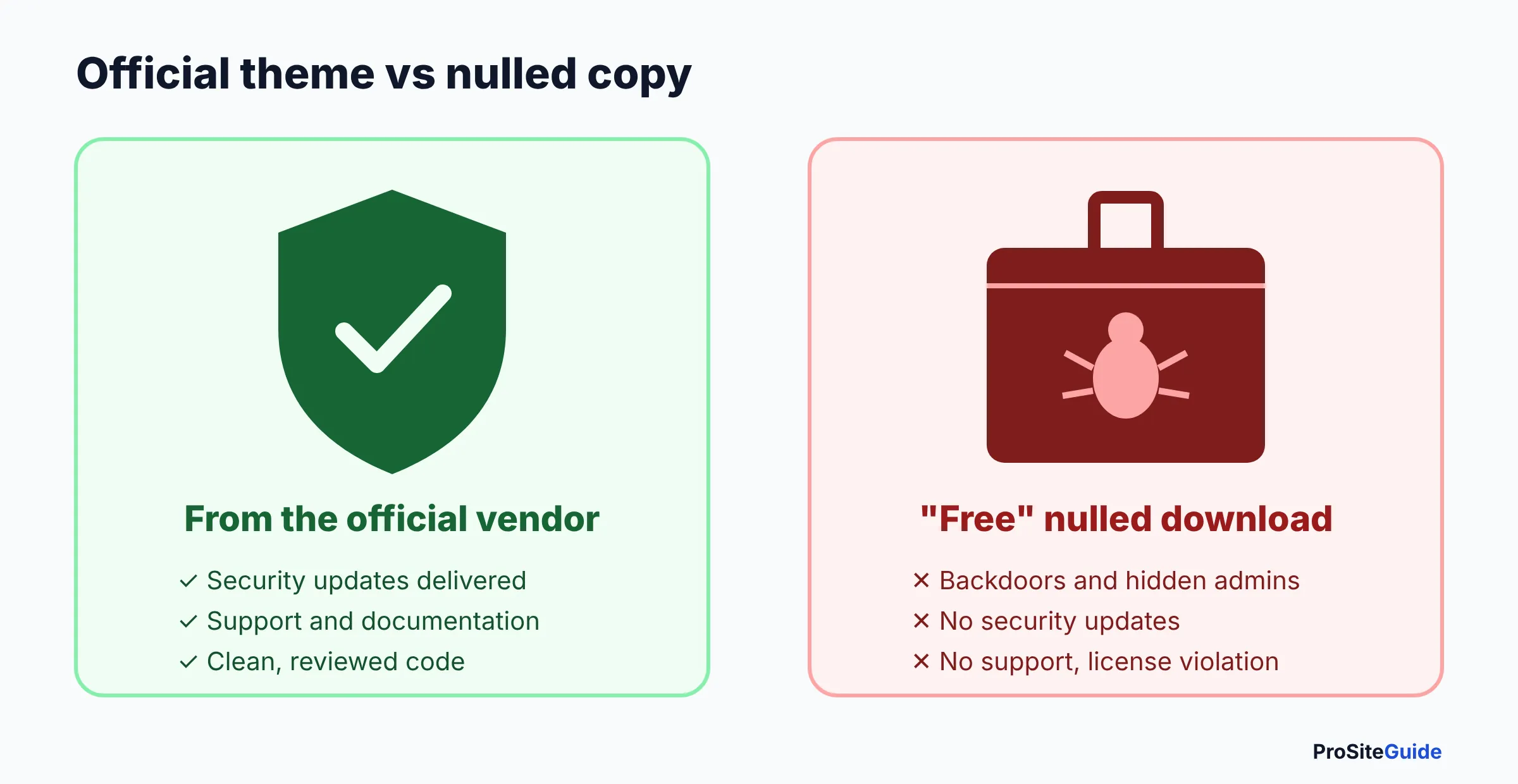
- Never install a “nulled” (pirated) premium theme. Security researchers routinely find backdoors and hidden admin accounts in them.
- Pro upgrades are optional. Most firm sites (home, attorneys, practice areas, contact) can be built with a free theme plus the block editor.
Best WordPress themes for law firms at a glance
- Kadence: best all-round choice for a block-editor law firm site.
- Blocksy: best for firms that want modern design controls and a fair lifetime license.
- GeneratePress: best lean base for developers who care about every kilobyte.
- Astra: best if you want to start from a ready-made lawyer template.
- Twenty Twenty-Five: best free option with zero paid add-ons.
- Hello Elementor + Elementor Pro: best for firms committed to the Elementor visual builder.
Not sure WordPress is the right platform at all? Read our Squarespace vs WordPress vs Wix comparison for law firms first.
How we compared these themes
We have not run our own speed tests or scored these products. This comparison is based on each theme’s official WordPress.org listing (active installations, last update date, feature tags and requirements) and the vendors’ own pricing and documentation pages, all checked on November 8, 2026. Prices change often, so confirm them at checkout.
What makes a good law firm WordPress theme?
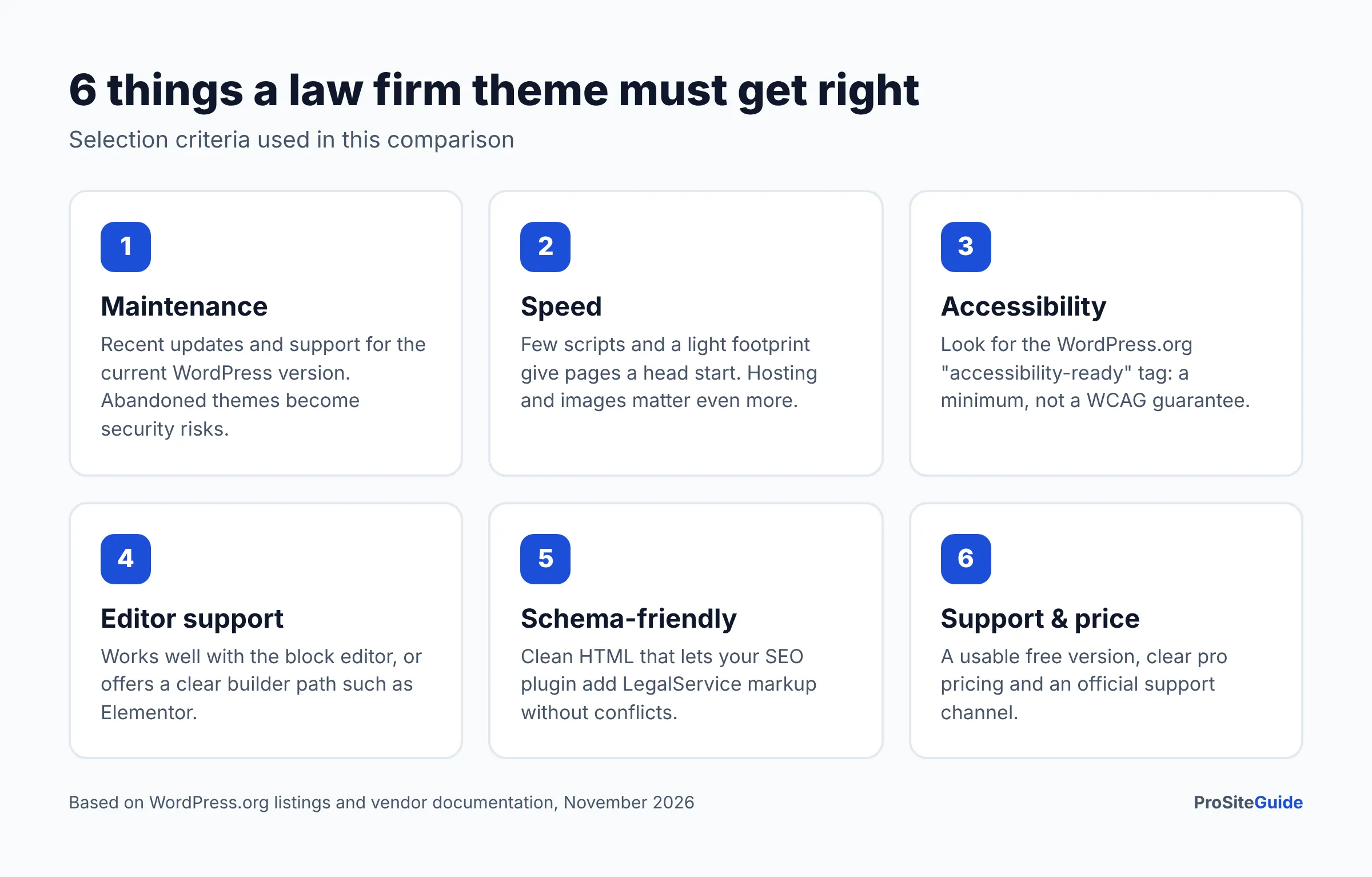
A good law firm WordPress theme loads quickly, stays updated, is usable with a keyboard and screen reader, and lets you build practice area and attorney pages without heavy add-ons. These are the criteria we used:
- Maintenance. Frequent updates and support for the current WordPress version. An abandoned theme is a security and compatibility risk.
- Speed. A light theme with few scripts gives your site a head start on Core Web Vitals (Google’s page-experience metrics). Hosting and images matter even more.
- Accessibility. We noted which themes carry WordPress.org’s accessibility-ready tag.
- Editor support. Good support for the native block editor (Gutenberg), or a clear builder path such as Elementor.
- Schema-friendliness. Clean HTML that does not fight your SEO plugin. Structured data such as
LegalServiceorAttorneymarkup normally comes from an SEO plugin, not the theme. - Support and price. A usable free version, a clear pro price and an official support channel.
Law firm WordPress theme comparison table
Install counts are the ranges WordPress.org displays. “Last updated” is the free theme’s last release on WordPress.org. Pro prices are the lowest listed tier, as of November 2026.
| Theme | Active installs (WordPress.org) | Last updated | Accessibility-ready tag | Approach | Paid upgrade from |
|---|---|---|---|---|---|
| Kadence | 500,000+ | Nov 6, 2026 | Yes | Block editor + Kadence Blocks | Confirm with vendor (bundle from $350/yr shown) |
| Blocksy | 300,000+ | Oct 30, 2026 | Yes | Block editor or builders | $69/yr or $199 lifetime (1 site) |
| GeneratePress | 500,000+ | Dec 1, 2025 | No | Block editor + GenerateBlocks | $99/yr (GeneratePress One, 1 site) |
| Astra | 1+ million | Oct 29, 2026 | No | Block editor (Spectra) or Elementor | $69/yr (Astra Pro add-on only) |
| Twenty Twenty-Five | 1+ million | May 20, 2026 | Yes | Block theme (full site editing) | Free, no pro version |
| Hello Elementor | 1+ million | Nov 3, 2026 | Yes | Elementor builder | Elementor plans from $60/yr (1 site) |
The best WordPress themes for law firms, reviewed
1. Kadence: best all-round law firm WordPress theme
Kadence is a free, block-editor-first theme with a visual header and footer builder, global colors and fonts, and a companion Kadence Blocks plugin for layouts such as tabs, accordions and info boxes (handy for practice area FAQs). Its WordPress.org listing shows 500,000+ active installations, version 1.6.0 released November 6, 2026, and the accessibility-ready tag. It requires WordPress 6.6 and PHP 7.4 or later.
Pricing: Kadence is now sold through Liquid Web. When we checked, the official Kadence pricing page showed an all-in-one software bundle (Kadence plus LearnDash, The Events Calendar and Give) starting at $350/year for one site, and its FAQ refers to separate Kadence Pro and Elite tiers without listing their prices. Confirm current Kadence-only pricing with the vendor before you buy. The free theme and free Kadence Blocks plugin are enough for many small firm sites.
- Pros: accessibility-ready tag; strong block editor tools; very recent updates; generous free version.
- Cons: pricing structure has changed and is currently bundle-oriented; extra blocks plugin adds weight if you use every feature.
- Best for: solo and small firms that want to build in the native editor and keep the option to grow.
2. Blocksy: best for modern design controls
Blocksy is a free theme with a flexible header builder, block patterns and block styles, and support for both the block editor and popular builders. WordPress.org lists 300,000+ active installations, version 2.1.61 updated October 30, 2026, and the accessibility-ready tag. It requires WordPress 6.7 and PHP 7.0 or later.
Pricing: According to Blocksy’s pricing page, Blocksy Pro costs $69/year or $199 lifetime for one site (Personal), $99/year or $299 lifetime for 10 sites (Business), and $149/year or $499 lifetime for unlimited sites (Agency), as of November 2026.
- Pros: accessibility-ready tag; lifetime license option; clean visual customizer.
- Cons: smaller ecosystem of law-specific starter sites than Astra.
- Best for: firms (or their developer) that want polished design control without a page builder.
3. GeneratePress: best lean base for developers
GeneratePress is known for being lightweight, and its official site positions it as “a lightweight WordPress theme.” WordPress.org shows 500,000+ active installations and version 3.6.1, last updated December 1, 2025. It does not carry the accessibility-ready tag, and it requires WordPress 6.5 and PHP 7.4 or later. Premium features live in the separate GP Premium plugin, so the free theme’s update date does not tell the whole story, but it is worth checking the changelog before you commit.
Pricing: Per GeneratePress pricing, GeneratePress One (GP Premium, GenerateBlocks Pro, the site library and priority support) costs $99/year for one site, $149/year for 10 sites, $199/year for 100 sites, or $596 once for a 100-site lifetime plan, as of November 2026. The site library lists 80+ starter sites, none of them law-specific.
- Pros: minimal footprint; mature, stable codebase; clear pricing with a 30-day refund window.
- Cons: no accessibility-ready tag; no lawyer templates; best results need some design skill.
- Best for: developers building a custom firm site who want full control.
4. Astra: best for ready-made lawyer templates
Astra is one of the most widely used WordPress themes: WordPress.org shows 1+ million active installations and version 4.14.2 updated October 29, 2026. It does not carry the accessibility-ready tag. Its Starter Templates library advertises 300+ templates and includes several legal designs, such as Family Lawyer; some lawyer templates require a paid plan, so check the label before importing.
Pricing: The Astra pricing page lists the Astra Pro add-on alone at $69/year or $249 lifetime (discounted from $349). Bundles start with Astra Pro + AI at $99 for the first year (renews at $149/year), then Essential Toolkit + AI at $199 (renews at $299) and Business Toolkit + AI at $279 (renews at $429). Astra states these are introductory prices and renewals are at full price, as of November 2026.
- Pros: largest template library, including lawyer layouts; works with the block editor and Elementor.
- Cons: no accessibility-ready tag; bundles push extras you may not need; renewal prices are higher than first-year prices.
- Best for: firms that want to import a lawyer design and edit the text, rather than design from scratch.
5. Twenty Twenty-Five: best free option with no add-ons
Twenty Twenty-Five is the default block theme made by the WordPress project. A block theme is one where headers, footers and templates are all edited visually in the Site Editor, with no separate customizer. It has 1+ million active installations, version 1.5 updated May 20, 2026, and the accessibility-ready, full-site-editing and style-variations tags. It requires WordPress 6.7 and PHP 7.2 or later.
- Pros: completely free; maintained by the WordPress project; no third-party upsells; accessibility-ready.
- Cons: fewer business-focused design controls; updates are less frequent than commercial themes.
- Best for: a simple solo-attorney site, or a firm that wants zero plugin or license dependencies.
6. Hello Elementor + Elementor Pro: best for Elementor users
Hello Elementor is a minimal theme “built specifically to work seamlessly with the Elementor site builder plugin.” WordPress.org shows 1+ million active installations, version 3.5.2 updated November 3, 2026, and the accessibility-ready tag. On its own it does very little; the design work happens in Elementor.
Pricing: The Elementor pricing page lists Essential at $60/year (1 site, includes Theme Builder and Form Builder), Advanced Solo at $84/year (1 site, adds Popup Builder and custom code) and Advanced at $108/year (3 sites), as of November 2026. Elementor notes plans renew at the regular rate, so confirm the renewal price at checkout.
- Pros: drag-and-drop editing that non-technical staff often find easiest; large template ecosystem.
- Cons: pages built in Elementor are tied to Elementor; builder output is usually heavier than native blocks, so hosting and caching matter more.
- Best for: firms whose existing site or developer already works in Elementor.
Also worth a look: Neve
Neve (200,000+ active installations, updated November 6, 2026, accessibility-ready tag) is another solid general theme. Neve Pro starts at $69/year for the first year, with renewals at full price, as of November 2026.
Which law firm WordPress theme should you choose?
Choose based on who will edit the site and how much design work you want to do. The decision chart below sums it up.
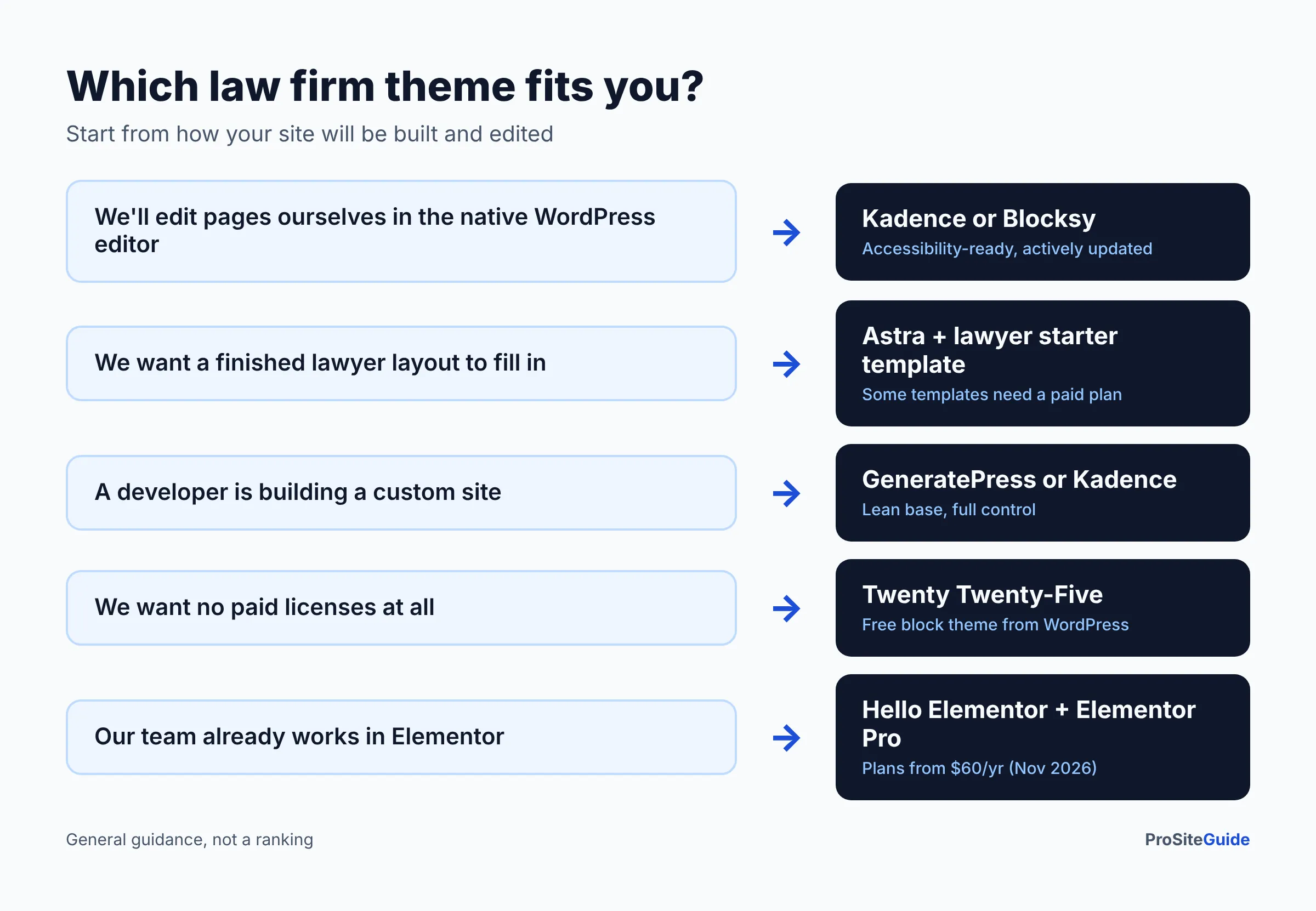
- You (or staff) will edit pages yourselves and want the native editor: Kadence or Blocksy.
- You want a finished lawyer layout to fill in: Astra with a lawyer starter template.
- A developer is building a custom site: GeneratePress or Kadence.
- You want no paid licenses at all: Twenty Twenty-Five.
- Your team already knows Elementor: Hello Elementor + Elementor Pro.
Why not a “lawyer theme” from a template marketplace?
Niche “attorney WordPress themes” can look impressive in demos, but many bundle sliders, builders and demo plugins you will never use, and some are updated rarely. When a niche theme is abandoned, you are stuck with a redesign. A general theme with a lawyer starter template gives you the same look with a far larger user base and a longer track record. If you still prefer a niche theme, check its changelog, last update date, required plugins and support policy before buying.
Are nulled WordPress themes safe?
No. A nulled theme is a pirated copy of a paid theme with the license check removed. Wordfence, a WordPress security company, warns that nulled plugins and themes “frequently contain backdoors and other malware” and that many “inject hidden administrator users into your site’s database” (Wordfence). They also do not receive security updates. For a law firm, a compromised site can mean spam on your domain, redirected visitors and exposed contact-form submissions. Buy from the official vendor and keep the license active. Our law firm website security checklist covers the rest.
Does an accessibility-ready theme make my site ADA compliant?
No, it is a starting point. The WordPress Themes Team says the tag means a theme “reaches the minimum standards that the theme review team has set” and explicitly “does not mean that the theme meets the WCAG guidelines AA-level” (WordPress Theme Handbook). The U.S. Department of Justice says businesses open to the public must make their online services accessible and points to WCAG as helpful guidance (ADA.gov). Your images, colors, forms and PDFs still need work. See our guide to law firm website accessibility (ADA and WCAG), and check with your state bar on any advertising or website rules that apply to you.
How to choose and set up a law firm WordPress theme
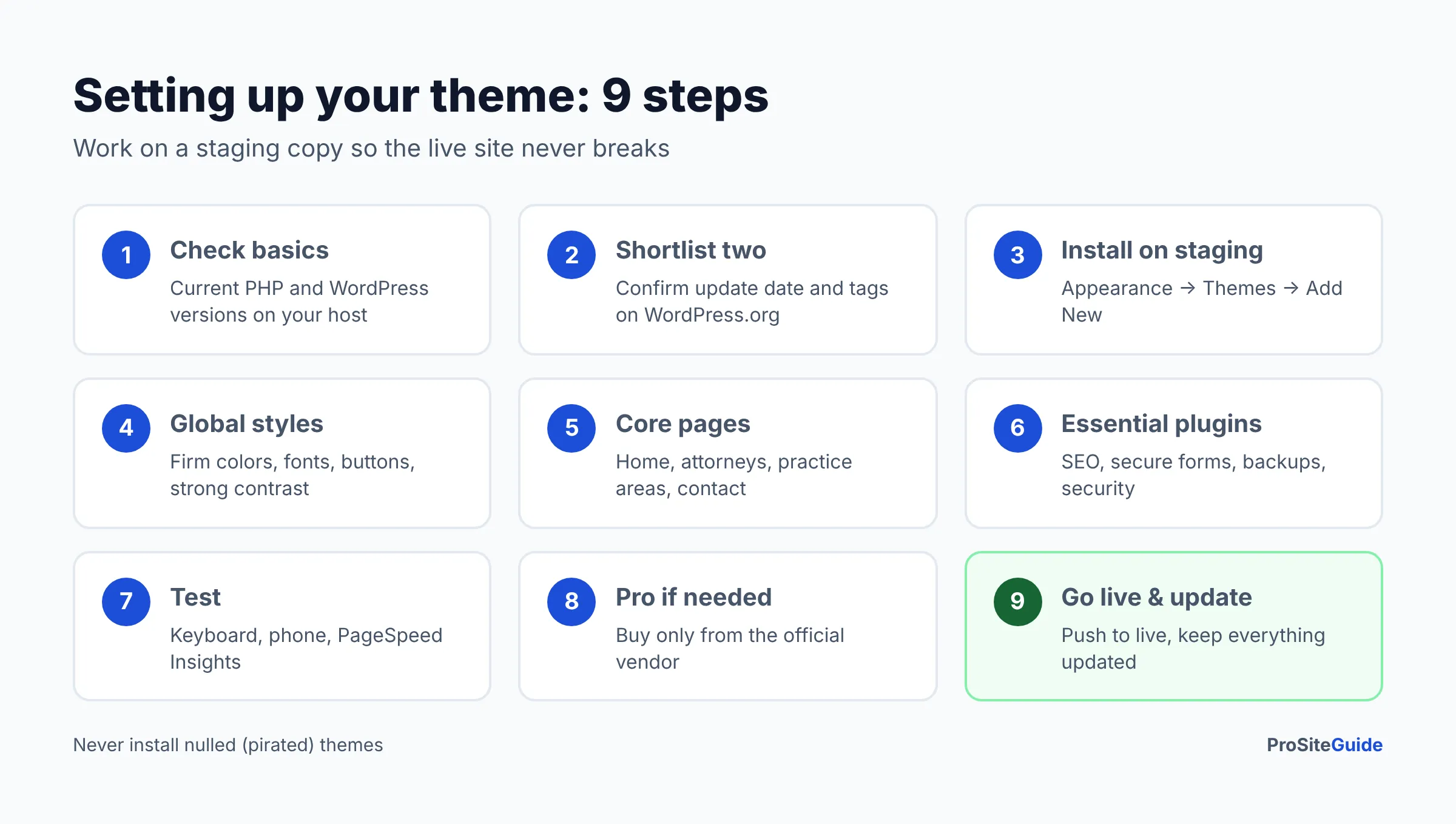
Follow these steps on a staging copy of your site first, so your live site is never broken while you experiment.
- Check the basics. Confirm your host runs a current PHP version and that the theme supports your WordPress version. Good law firm hosting usually includes one-click staging.
- Shortlist two themes. Use the comparison table above. Open each WordPress.org listing and confirm the last update date and tags yourself.
- Install the free version on staging. Go to Appearance → Themes → Add New, search the theme name and click Install, then Activate.
- Set global styles. Define your firm’s colors, fonts and button styles once. Check that text-to-background contrast is strong.
- Build the core pages. Home, attorney bios, one page per practice area, and contact. Our guide to writing practice area pages explains what each needs.
- Add only essential plugins. An SEO plugin (for schema and sitemaps), a secure form, backups and security. See our best WordPress plugins for law firms.
- Test. Tab through each page with the keyboard, check it on a phone, and run Google PageSpeed Insights.
- Buy pro only if you need it. Upgrade when you hit a real limit (for example, a sticky header or custom layouts), from the official vendor.
- Go live and keep updating. Push staging to live, then update the theme, plugins and WordPress core regularly.
FAQ
What is the best free WordPress theme for a law firm?
Kadence and Blocksy are the strongest free choices for most firms because they are accessibility-ready and actively updated. Twenty Twenty-Five is the best choice if you want no third-party upsells at all.
Do I need a premium attorney WordPress theme?
Usually not. A free theme plus the block editor can handle a typical small-firm site. Premium versions add conveniences such as advanced headers, extra blocks and template libraries.
Will changing my theme hurt my SEO?
Changing themes does not change your URLs or content, but it can change headings, menus and page speed. Switch on staging, keep your URL structure, and check titles and headings before going live.
Which theme is fastest for a lawyer website?
GeneratePress, Kadence, Blocksy and Twenty Twenty-Five are all lightweight starting points. Real-world speed depends more on your hosting, images and plugins than on the theme, so test your own pages with PageSpeed Insights.
Do these themes add legal schema markup?
Not on their own. Structured data such as LegalService is normally added with an SEO plugin. What matters is that the theme outputs clean, standard HTML and does not duplicate the plugin’s markup.
How much does a law firm WordPress theme cost?
All six themes here are free to start. Paid upgrades range from about $60 to $99 per year for a single site, as of November 2026. Hosting, plugins and design work are separate costs.
Conclusion: pick a maintained theme, then focus on content
The theme matters less than people think, as long as it is fast, accessible and maintained. Start with Kadence or Blocksy if you will edit the site yourself, Astra if you want a lawyer template, GeneratePress for a developer build, Twenty Twenty-Five for zero cost, or Hello Elementor if you already use Elementor. Then put your energy into clear practice area pages, attorney bios and a secure contact form.
- Next: install your shortlisted theme on a staging site and build one practice area page.
- Then: add the essential plugins and run the security checklist before launch.
Want this handled for you? ProSiteGuide builds and maintains fast, secure WordPress sites for law firms. Book a free consultation.
Sources
- Kadence – WordPress.org theme directory
- Blocksy – WordPress.org theme directory
- GeneratePress – WordPress.org theme directory
- Astra – WordPress.org theme directory
- Twenty Twenty-Five – WordPress.org theme directory
- Hello Elementor – WordPress.org theme directory
- Neve – WordPress.org theme directory
- Kadence pricing (Liquid Web)
- Blocksy pricing
- GeneratePress pricing
- Astra pricing
- Elementor pricing
- Neve pricing
- WordPress Theme Handbook: Accessibility
- ADA.gov: Guidance on Web Accessibility and the ADA
- Wordfence: Nulled WordPress Plugins – Dangers and Downsides