Quick answer: the best password manager for law firms is the one your staff will actually use for every shared login, with admin controls to remove access fast. On published prices as of November 2026, Bitwarden Teams is $4.00 per user per month billed annually, 1Password Teams Starter Pack is $2.49 per user per month for 10 to 20 users, and 1Password Business is $8.99 per user per month. Keeper lists its Business plans as annual but its page did not show a number when we checked, so use Keeper’s pricing page.
Key takeaways
- A password manager for law firms is a practical way to show “reasonable efforts” under ABA Model Rule 1.6(c). It does not replace other safeguards.
- Published business prices differ widely: $2.49 (1Password Starter Pack, 10 to 20 users), $4.00 (Bitwarden Teams) up to $8.99 (1Password Business). Keeper: see its pricing page.
- Bitwarden Teams has no SSO; SSO is in Bitwarden Enterprise at $6.00. Keeper lists SSO (SAML 2.0) under Enterprise.
- Offboarding matters more than features: the day someone leaves, you need to cut access and rotate shared logins.
- This comparison is based on vendor pricing pages, documentation and terms. We have not hands-on tested these products.
How we compared these password managers
We read each vendor’s official business pricing page, its security or audit page, and the help pages that describe features. We did not run hands-on tests, and we give no scores or star ratings. Prices are in US dollars, exclude tax, and are as of November 2026. Vendors change prices, so confirm at checkout.
Why does a law firm need a password manager?
A password manager is software that stores logins in an encrypted vault, fills them in for you and generates strong unique passwords. For a law firm the main risks are reused passwords and shared credentials kept in spreadsheets, sticky notes or email. A single compromised login to your email, case software or bank portal can expose client information.
ABA Model Rule 1.6(c) says a lawyer must make reasonable efforts to prevent inadvertent or unauthorized disclosure of, or unauthorized access to, information relating to the representation. ABA Formal Opinion 477R (2017) discusses securing client communications and says reasonable efforts depend on factors such as the sensitivity of the information, the likelihood of disclosure without safeguards, the cost of safeguards and how much they burden the lawyer’s work. A password manager is a low-cost safeguard that fits that analysis. This is general information, not legal advice. Check your state bar’s rules and ethics opinions, which may add requirements.
How much do 1Password, Bitwarden and Keeper cost for a law firm?
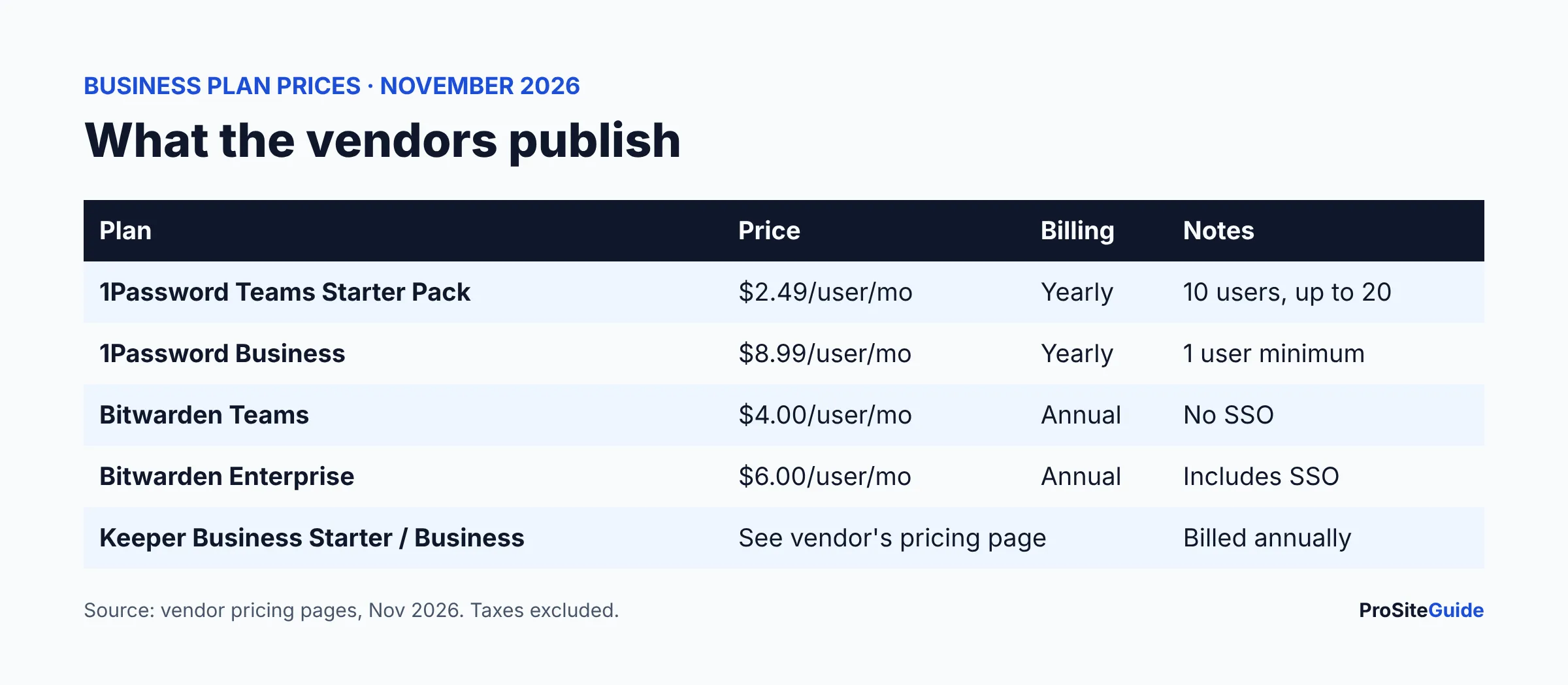
The table uses each vendor’s official business pricing page (1Password, Bitwarden, Keeper), as of November 2026.
| Plan | Price (USD) | Billing | Key limits |
|---|---|---|---|
| 1Password Teams Starter Pack | $2.49 per user per month ($24.95 per month flat for 10 members; $299.40 per year) | Billed yearly; a monthly option is shown | 10 users minimum, up to 20; extra seats $4.99 per seat per month; 5 guest accounts |
| 1Password Business | $8.99 per user per month ($107.88 per user per year) | Billed yearly; a monthly option is shown | 1 user minimum; 20 guest accounts |
| Bitwarden Teams | $4.00 per user per month | Annual subscription | No SSO; unlimited users |
| Bitwarden Enterprise | $6.00 per user per month | Annual subscription | Adds SSO, policies, custom roles, account recovery, self-hosting |
| Keeper Business Starter | See vendor’s pricing page | Billed annually | Page targets 5 to 10 users |
| Keeper Business | See vendor’s pricing page | Billed annually | Adds shared team folders, delegated admin |
| Keeper Enterprise | Request a quote | Billed annually | Adds SCIM, AD/LDAP, SSO (SAML 2.0), role-based access control |
For a five-lawyer firm with five staff (10 users), 1Password’s Starter Pack is a flat $24.95 per month on its page. At published list prices, Bitwarden Teams would be 10 x $4.00 = $40 per month, and 1Password Business 10 x $8.99 = $89.90 per month. These are simple multiplications of list prices, not quotes.
Which password manager is best for a small law firm?
1Password: best if you want the cheapest published entry plan
1Password’s Starter Pack covers 10 to 20 people at a low flat rate. The Business plan adds role-based vault sharing and permissions, broader admin and reporting, Watchtower security alerts and integrations with identity providers such as Okta, Entra ID, OneLogin and Duo, per its business pricing page. The page did not clearly show SSO by plan, so confirm SSO availability with 1Password before buying. Its personal plans also list passkey support, two-factor authentication and a Secret Key used with your account password. A 14-day free trial is listed with no credit card required.
Bitwarden: best for transparent pricing and published audits
Bitwarden Teams includes collections (its term for shared groups of logins), user groups, event and audit logs, directory sync, SCIM provisioning, organization two-factor login via Duo, vault health reports for weak, reused or exposed passwords, and passkey management, per its business pricing page. SSO, policies, custom roles, account recovery and self-hosting are Enterprise-only. Both plans offer a free trial; the page does not state the length.
Keeper: best for firms that want a quote-based plan and listed compliance programs
Keeper’s pricing page lists an encrypted vault, admin console and credential sharing on Business Starter; shared team folders, delegated admin and a free Family Plan for each user on Business; and SCIM, AD/LDAP, SSO, advanced 2FA and role-based access control on Enterprise. Passkey sharing is listed, but the page does not say which tier includes it. BreachWatch dark web monitoring appeared only as an add-on reference, so ask Keeper whether it is included in the plan you want.
How do shared vaults work for lawyers and staff?
A shared vault (1Password), collection (Bitwarden) or shared folder (Keeper) is a group of logins that only chosen people can open. Typical law firm examples are the court e-filing account, case management software, the bank portal and the firm’s social accounts. Set access by role: paralegals may need the e-filing login but not the bank portal. Give each person their own individual vault for personal logins so firm and personal items stay separate. If your logins live in Microsoft 365 or Google, see our guides to Microsoft 365 setup for law firms and Google Workspace setup for law firms.
What about SSO, 2FA and passkeys?
Two-factor authentication (2FA) adds a second proof, such as a code, after the password. Single sign-on (SSO) lets staff sign in to the password manager with the identity they already use at work, so the firm controls one login. Passkeys are phishing-resistant sign-ins that replace a password with a cryptographic key on your device. Among these vendors, Bitwarden clearly puts SSO in Enterprise only, Keeper lists SAML 2.0 SSO in Enterprise, and 1Password lists identity-provider integrations on Business. For a firm of ten or fewer, 2FA on the vault plus unique passwords usually covers the biggest risks; SSO is more useful as headcount grows. Passkey storage is listed by Bitwarden (all accounts), 1Password (personal plans) and Keeper (tier not specified).
How do admin controls and offboarding work?
Offboarding is the most important admin feature for a law firm. When a paralegal or associate leaves, you must remove their access and change any shared password they could see. The vault cannot do the second part automatically.
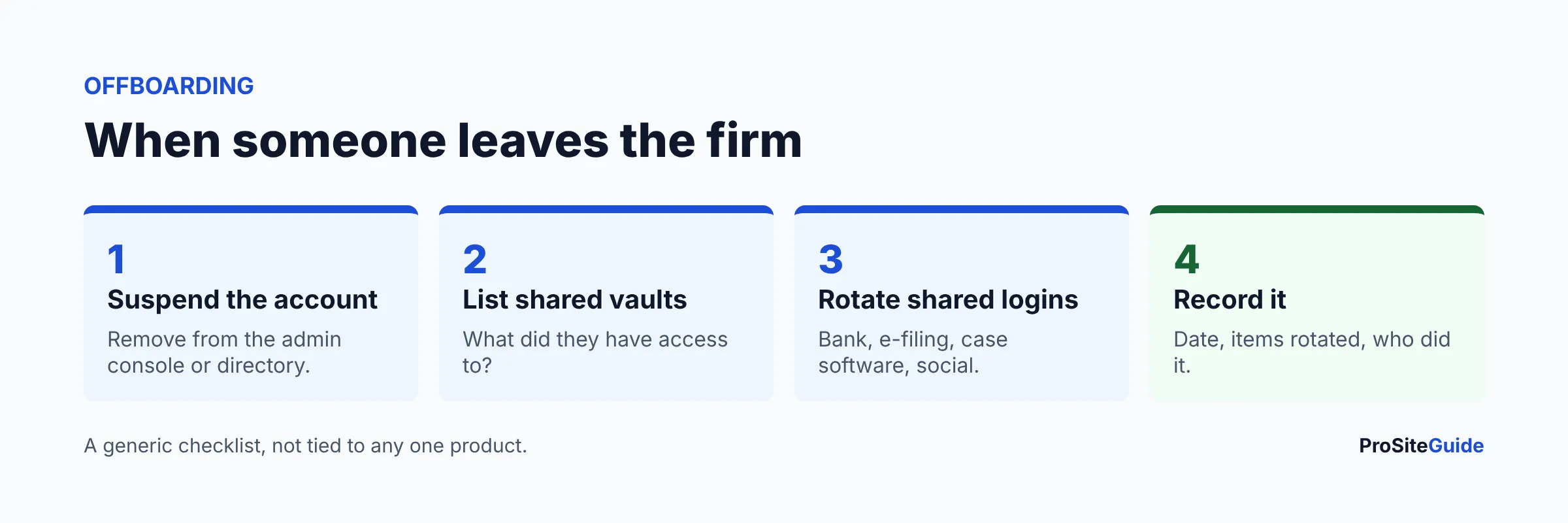
- Suspend or remove the user in the admin console or directory.
- List what they could reach from their vault and group memberships.
- Rotate shared logins such as bank, e-filing and case software passwords.
- Record it in a simple log: date, items rotated, who did it.
Bitwarden Teams lists event and audit logs and directory sync. Keeper lists delegated admin on Business and reporting add-ons. 1Password lists broader admin and reporting on Business. Check each vendor’s documentation for exactly what the admin can see, and decide who the firm’s admins are before you buy.
Do these tools include breach and dark-web monitoring?
Breach monitoring checks whether your stored logins appear in known data leaks. 1Password lists Watchtower alerts for weak or compromised credentials on its personal plans and on Business. Bitwarden Teams lists vault health reports for weak, reused or exposed passwords. Keeper lists Dark Web Monitoring as an add-on reference on its business page; confirm what is included. Monitoring tells you a password is exposed; you still have to change it.
What security audits do the vendors publish?
Audits are a vendor-reported signal, not a guarantee. Here is what each publishes on its own pages.
| Vendor | Published on its own pages |
|---|---|
| 1Password | SOC 2 Type 2, ISO 27001:2022, 27017:2015, 27018:2019 and 27701:2019; public bug bounty on HackerOne since December 2024; annual pentest reports through its Trust Center from November 3, 2025. The page says not every audit is published. (source) |
| Bitwarden | SOC 2 Type 2 and SOC 3, ISO 27001, HIPAA, GDPR and CCPA compliance statements; a list of third-party assessments from 2018 to 2025 by firms including Cure53, ETH Zurich’s Applied Cryptography Group, Unit 42 and Fracture Labs. (source) |
| Keeper | SOC 2 Type 2, ISO 27001, 27017 and 27018, FedRAMP High and GovRAMP High for its government platform, FIPS 140-3 validation (CMVP certificate 4743), and quarterly third-party pen testing. (source) |
Which should my firm choose?
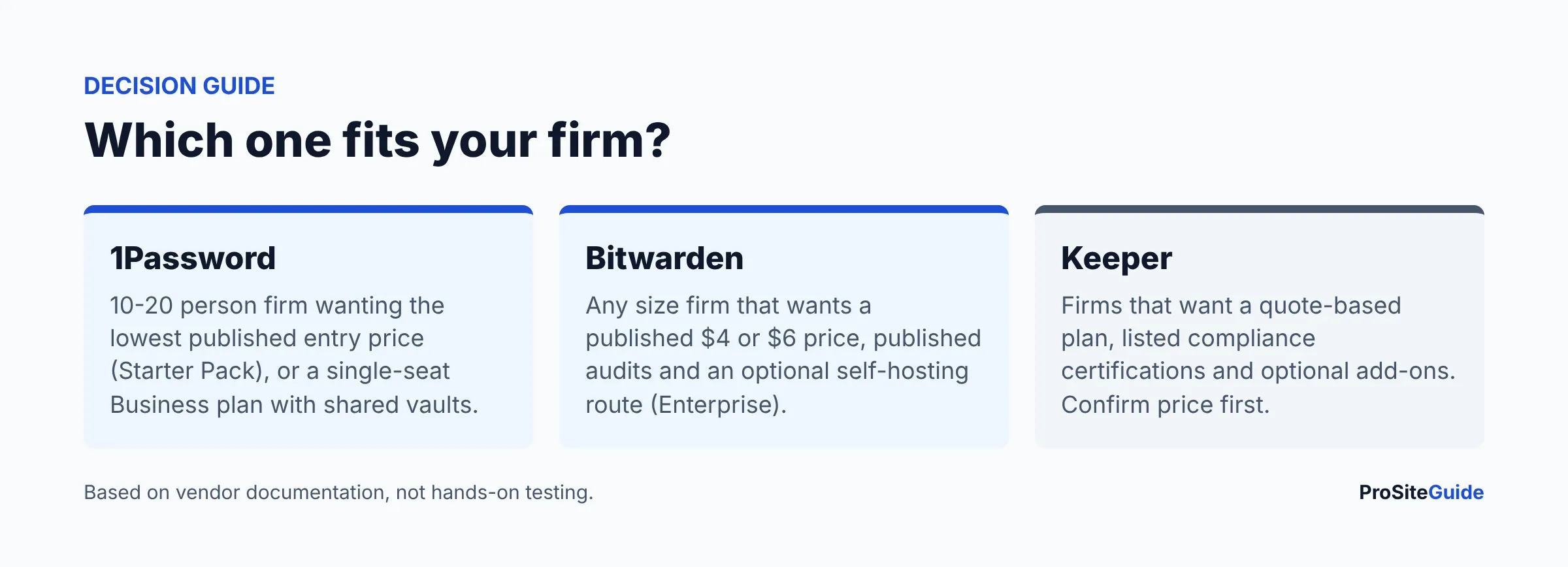
- 10 to 20 people and a tight budget: price 1Password Teams Starter Pack against Bitwarden Teams.
- Want SSO with a published price: Bitwarden Enterprise ($6.00) or 1Password Business ($8.99, confirm SSO).
- Solo lawyer: 1Password Business has a 1-user minimum; Bitwarden has no stated minimum on its page.
- Want vendor guidance on plan and add-ons: ask Keeper for a quote.
Before buying, use the free trial with two people and one shared vault, and import an export of your current logins. Pair the manager with the basics in our law firm website security checklist, encrypted email as covered in law firm email encryption and a proper law firm business email setup. For more software choices, see our tool comparisons and Start Here guide.
FAQ
Is it ethical for lawyers to use a cloud password manager?
Generally the question is whether you made reasonable efforts under Rule 1.6(c). Vendors describe encrypted vaults, but you should read the terms, use 2FA and check your state bar’s guidance. This is not legal advice.
Is Bitwarden or 1Password cheaper for a law firm?
On published list prices, 1Password’s Starter Pack ($2.49 per user per month, 10 to 20 users) is lowest, then Bitwarden Teams ($4.00), then 1Password Business ($8.99). Bitwarden has no user minimum stated on its page.
Does Bitwarden Teams include SSO?
No. Its pricing page lists passwordless SSO as Enterprise-only ($6.00 per user per month billed annually).
Can staff share logins safely?
Yes, through shared vaults, collections or folders with role-based access. Avoid sending passwords by email or chat.
What should we do when an employee leaves?
Remove the account, review what they could access and rotate shared passwords, then log it.
Conclusion and next steps
Pick two vendors, confirm the current price and SSO terms on their pages, run a trial with one shared vault, and write a one-page policy: who is the admin, which logins are shared and how offboarding works. Then roll it out to everyone at once.
Want this handled for you? ProSiteGuide builds and maintains fast, secure WordPress sites for law firms. Book a free consultation.
Sources
- 1Password business pricing
- 1Password security assessments
- Bitwarden business pricing
- Bitwarden audits and compliance
- Keeper business pricing
- Keeper security and certifications
- ABA Model Rule 1.6(c) and Formal Opinion 477R (American Bar Association)